


JPY Samurai Breakout Lite — Simple Breakout Indicator for cTrader ⚔️
A lightweight version of the breakout indicator designed for traders who want simplicity and speed.
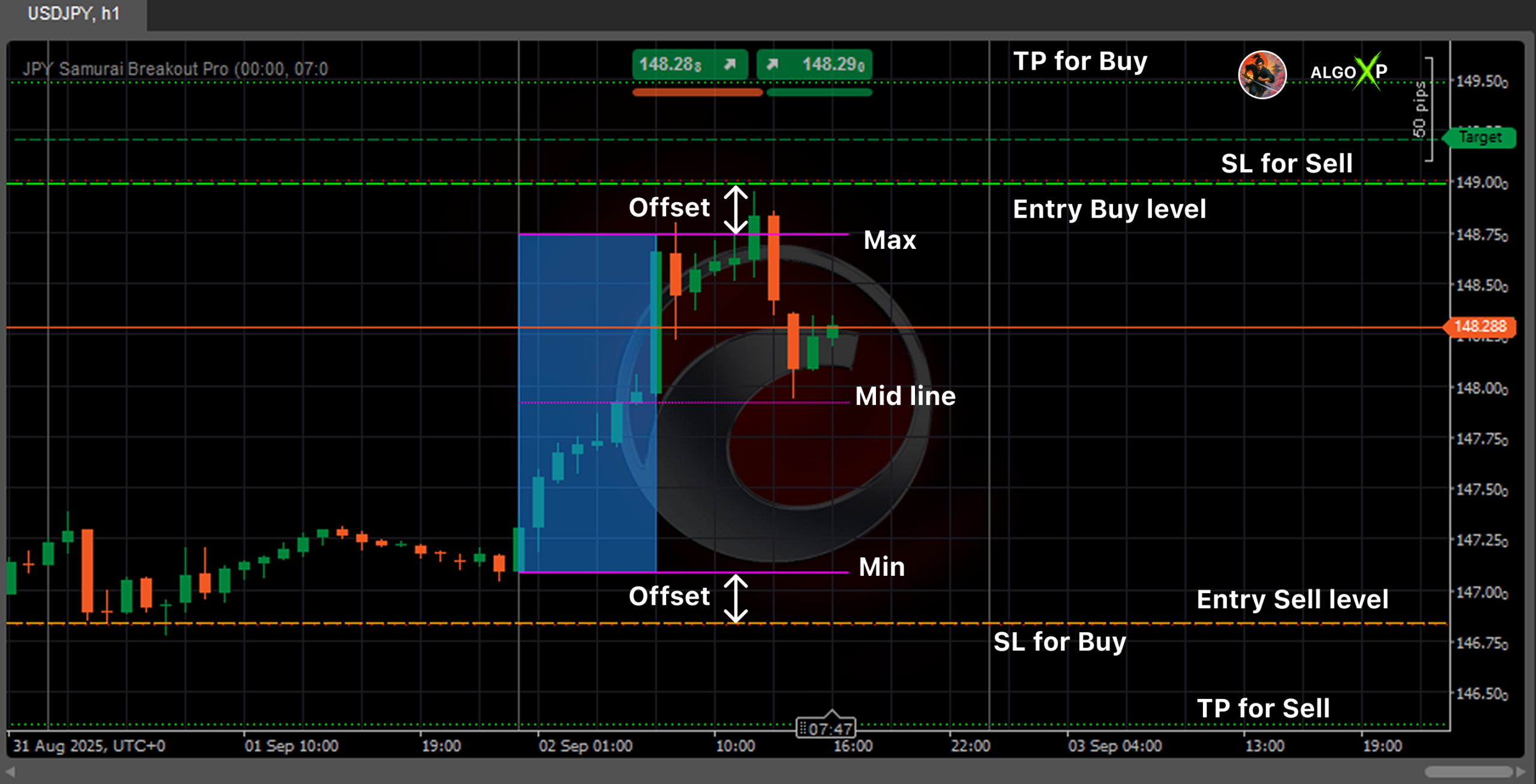
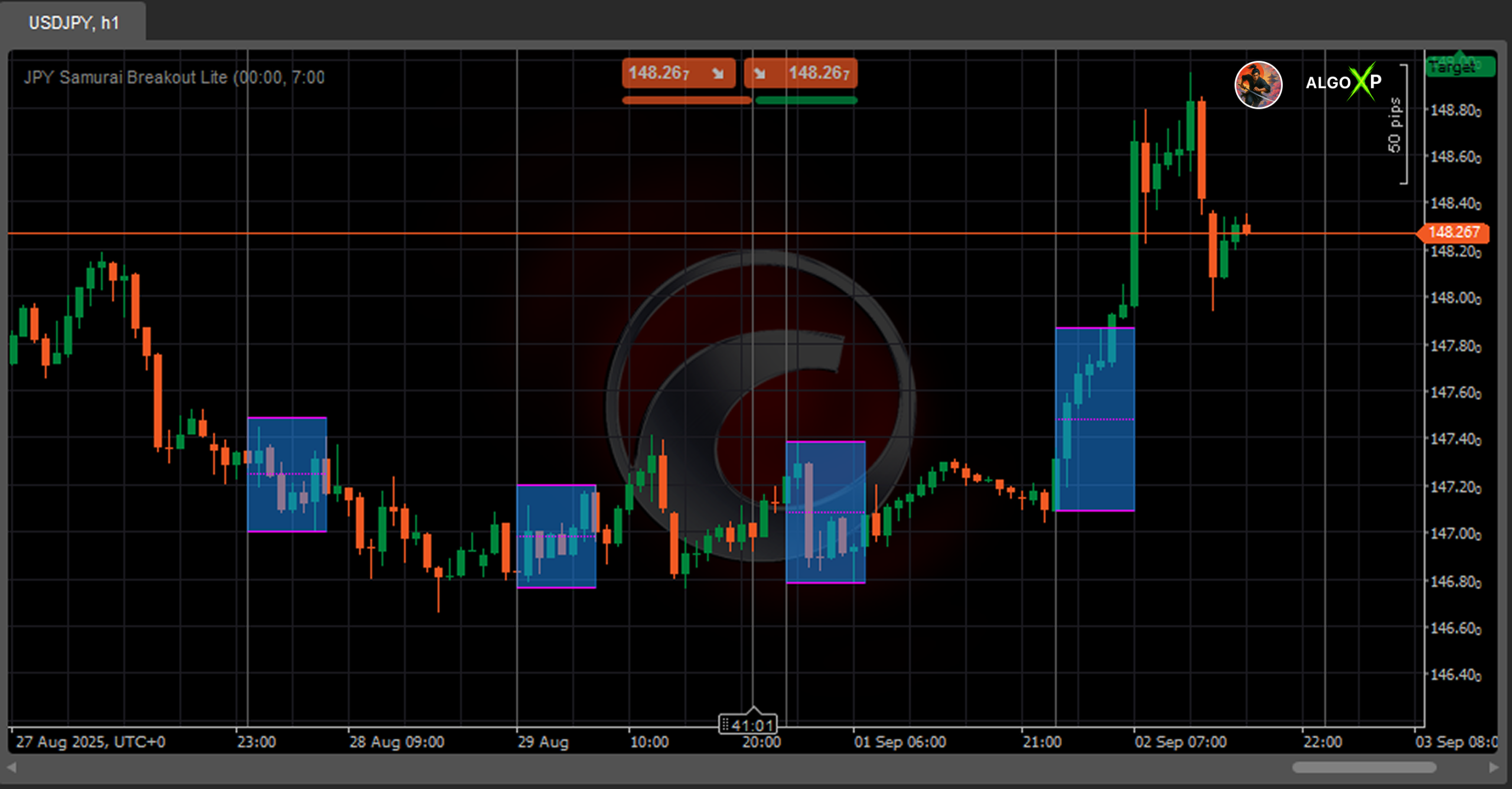
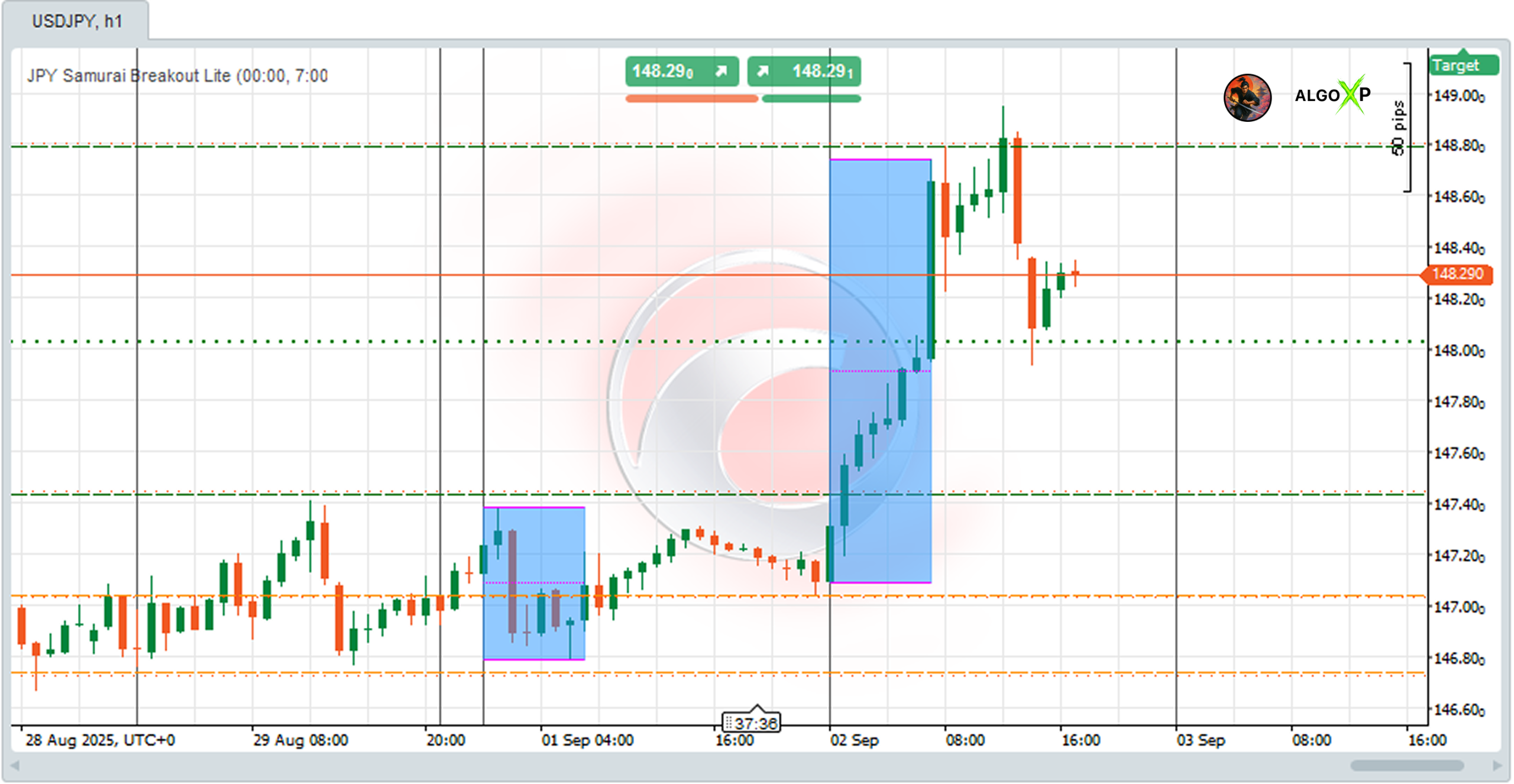
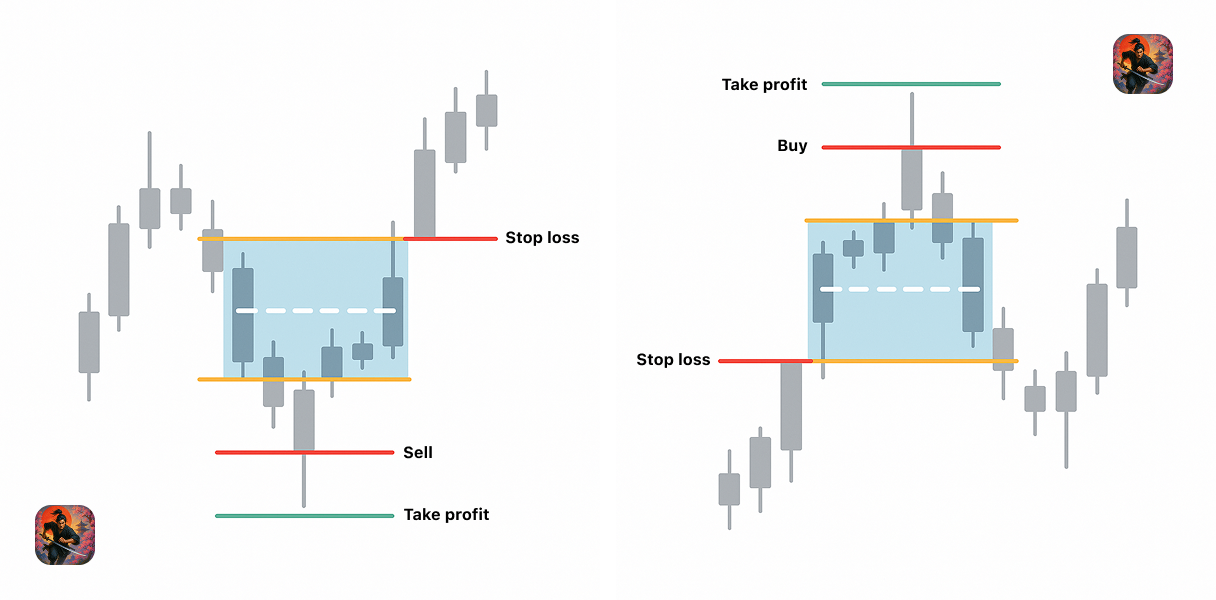
JPY Samurai Breakout Lite automatically plots the Asian session range and shows clear breakout levels (Buy/Sell, SL, TP) — without extra features or statistics.
✅ Main Features:
- Automatic Asian session Box with High/Low levels.
- Optional Mid-line for visual balance.
- Buy/Sell breakout levels with Stop Loss and Take Profit.
- Multi-day history view (default: 3 days).
- Semi-transparent box fill for better visual clarity.
- Predefined color themes: Dark and Light .
🎯 Perfect for:
- Traders who want a clean chart setup.
- Scalpers and intraday traders on JPY pairs (USDJPY, GBPJPY, EURJPY, AUDJPY).
- Beginners who want to test breakout strategies visually.
⚡ Why Lite?
- Just breakout levels, clean and ready.
- No statistics, no complexity.
How to Use
Take Profit = Box size × Multiplier.
Apply on JPY pairs (USDJPY, GBPJPY, EURJPY, AUDJPY).
Wait until Asian session ends → Box is drawn.
Watch for price breakout:
Above Buy Entry → Long setup.
Below Sell Entry → Short setup.
Stop Loss = opposite side of Box.
JPY Samurai Breakout Lite – Parameters Overview
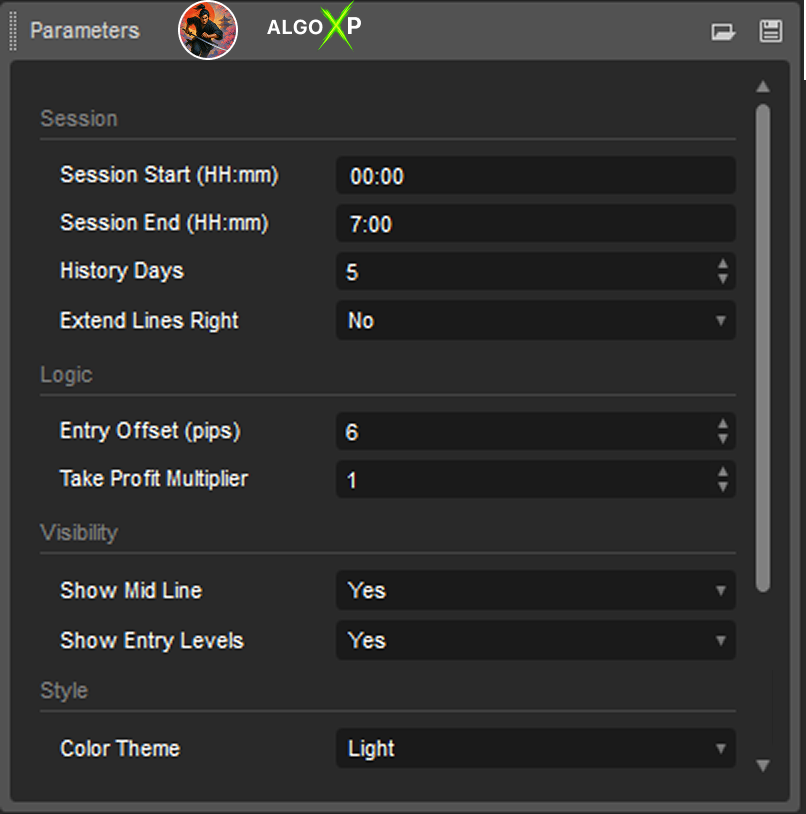
Session Parameters
Session Start / End
Defines the time window used to build the Asian session breakout box.
- Default: 00:00–07:00 UTC.
- All price action between these times is scanned to determine the session High and Low.
- These levels form the breakout range for the trading day.
- Adjusting this window changes the box size and placement — for example, some traders prefer Tokyo-only hours, others include Sydney.
History Days
Sets how many previous days are analyzed and drawn.
- Default: 5.
- Each day’s box is drawn separately, allowing you to visually compare past breakouts.
- The statistics panel (Wins, Losses, Avg Range, Win Rate) also uses this value to calculate averages and success rate.
- Larger values (20–30) show long-term tendencies; smaller values (3–5) focus on recent market behavior.
Extend Lines Right
Controls whether the High, Low, and Mid lines extend beyond the session window.
- Enabled (true): levels are projected across the entire trading day, making them usable for entries even after the session closes.
- Disabled (false): levels stop at the end of the Asian session.
Logic Parameters
Entry Offset (pips)
Offsets breakout entry levels above the session High and below the session Low.
- Purpose: filters out minor wicks and false breakouts.
- Example: If High = 150.00, Entry Offset = 5 → Buy entry = 150.05.
- Larger offsets reduce false signals but may miss smaller breakouts. Recommended range: 2–5 pips.
Take Profit Multiplier
Determines the distance of Take Profit targets relative to the box size.
- Formula: TP = Box Range × Multiplier.
- Example: Box = 25 pips, Multiplier = 2.0 → TP = 50 pips from entry.
- Larger multipliers aim for extended runs; smaller multipliers lock in quicker profits.
Stop Loss Placement
Stop Loss is automatically placed beyond the box, slightly offset to avoid overlap with entry levels.
- Current build: SL = opposite side of box ±1 pip.
- Even if Entry Offset = 0, SL will still be displaced, ensuring chart clarity.
- Note: offset is fixed in this version, not a user parameter.
Min / Max Range (pips)
Filters out invalid Asian session boxes.
- If the box size is too narrow (< Min) → breakout ignored (range considered noise).
- If the box size is too wide (> Max) → breakout ignored (range considered untradeable).
- Example: Min = 20, Max = 80.
- A 10-pip range will be skipped (too small).
- A 150-pip range will be skipped (too large).
- Helps avoid unrealistic or low-probability breakouts.
Visibility Parameters
Show Mid Line
Toggles the display of the midpoint between High and Low.
- Useful for visual balance and sometimes as an intraday support/resistance reference.
- Not required for entries.
Show Entry Levels
Enables drawing of Buy/Sell entries with corresponding SL and TP levels.
- On: full breakout strategy shown (Box + Entry + SL + TP).
- Off: only the session box is displayed, for traders who want to analyze range without execution levels.
Color & Style Parameters
Color Theme
Selects overall color style: Dark, Light, or Custom.
- Dark/Light: predefined color sets