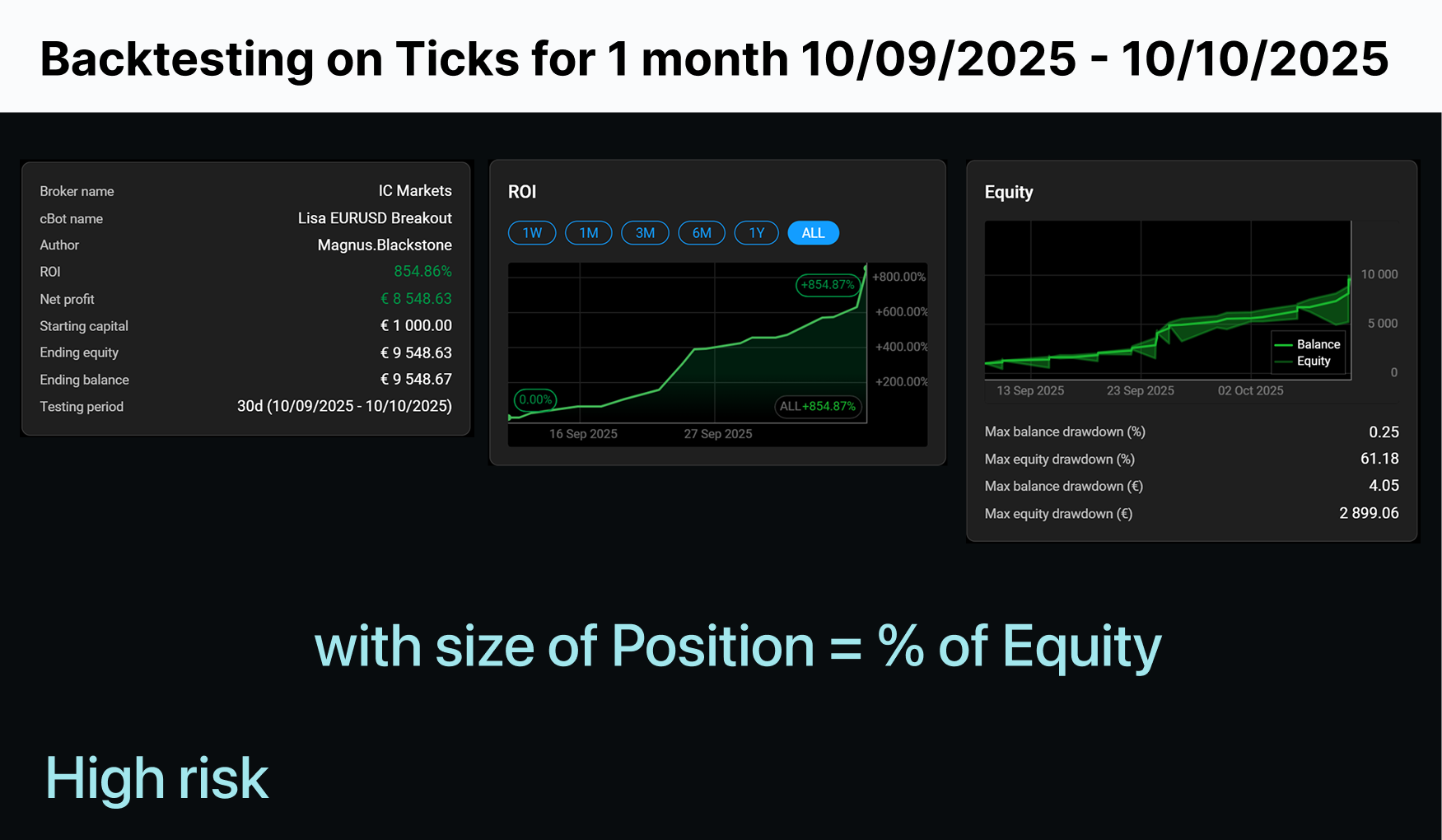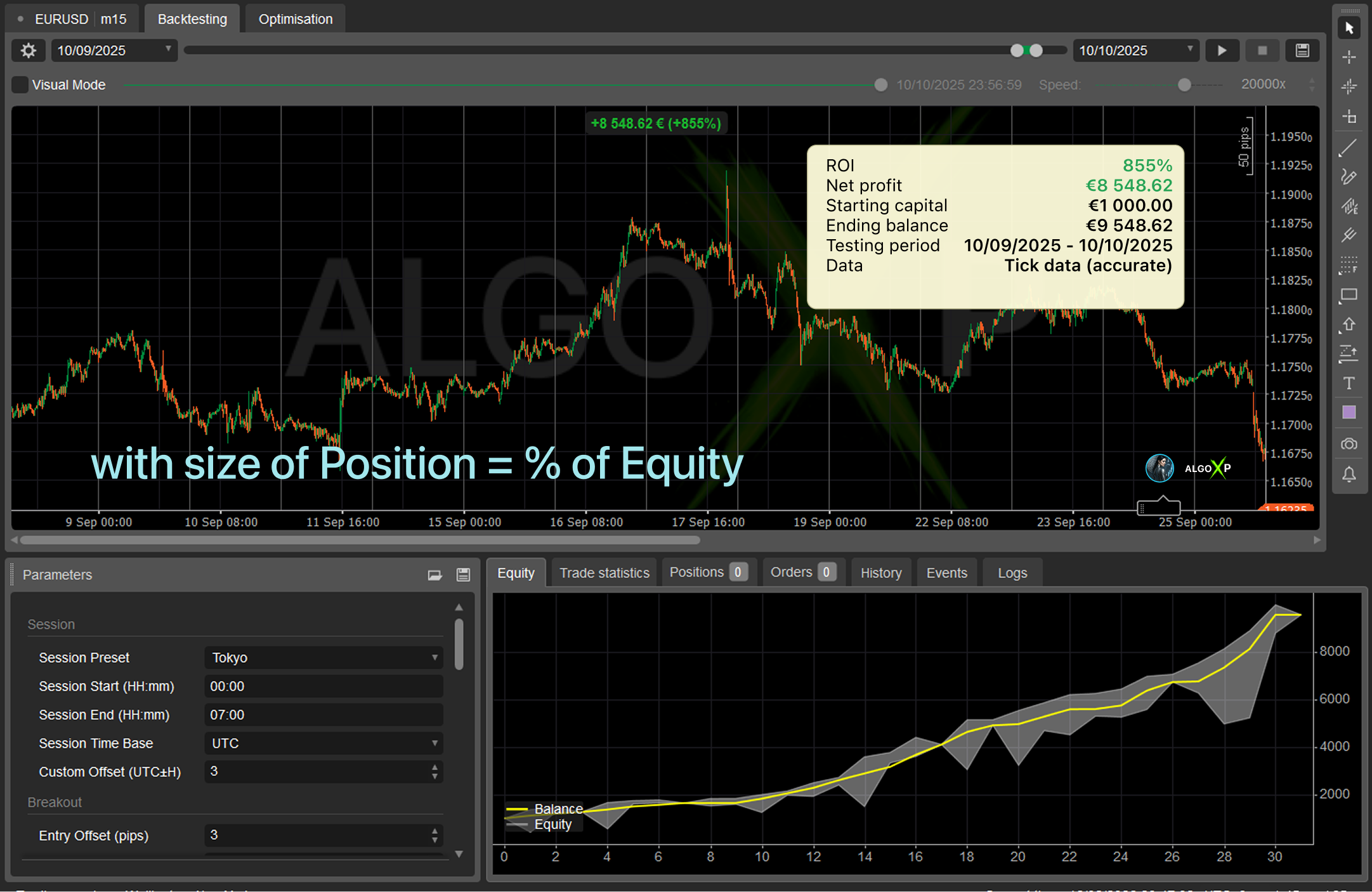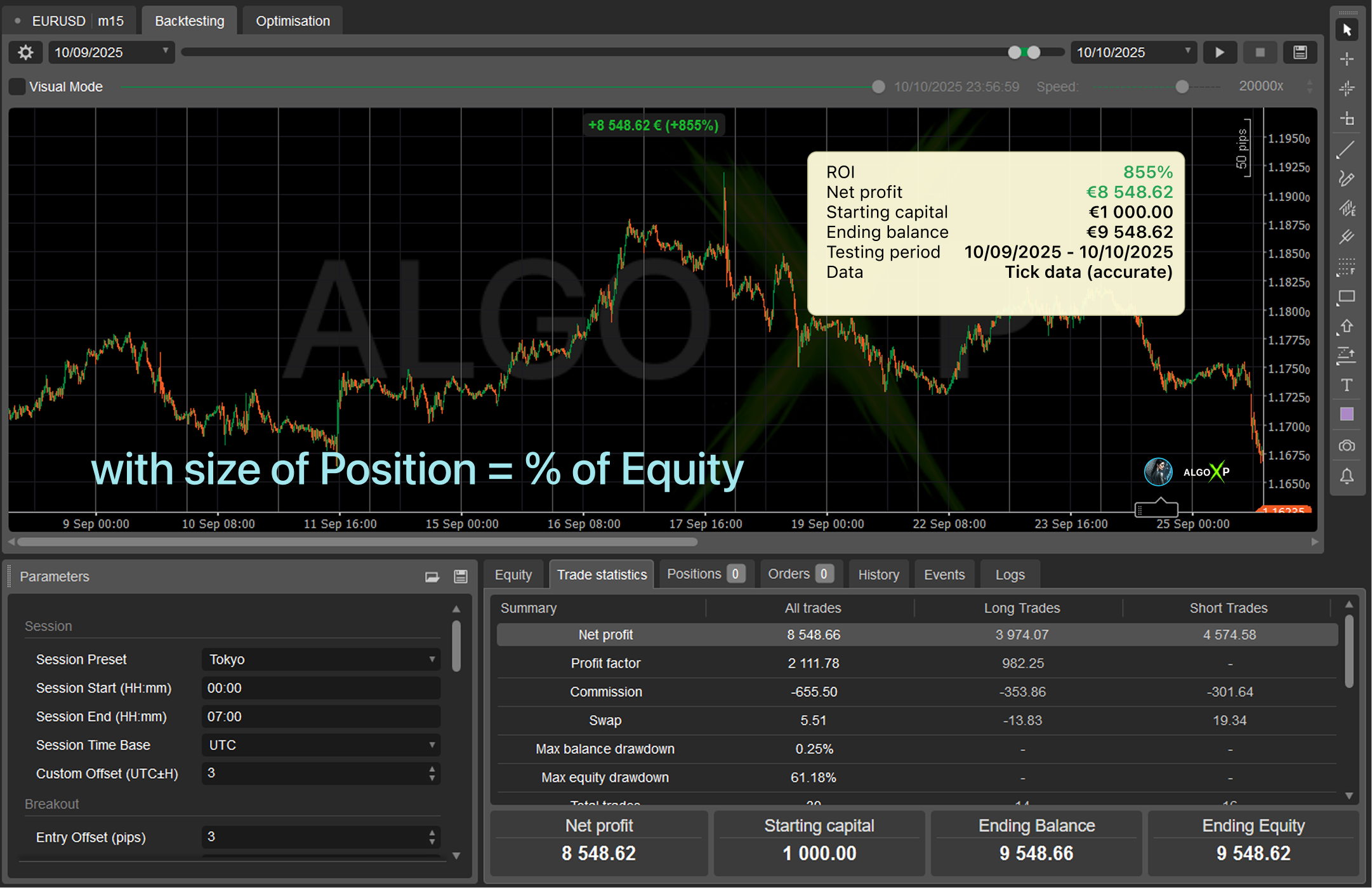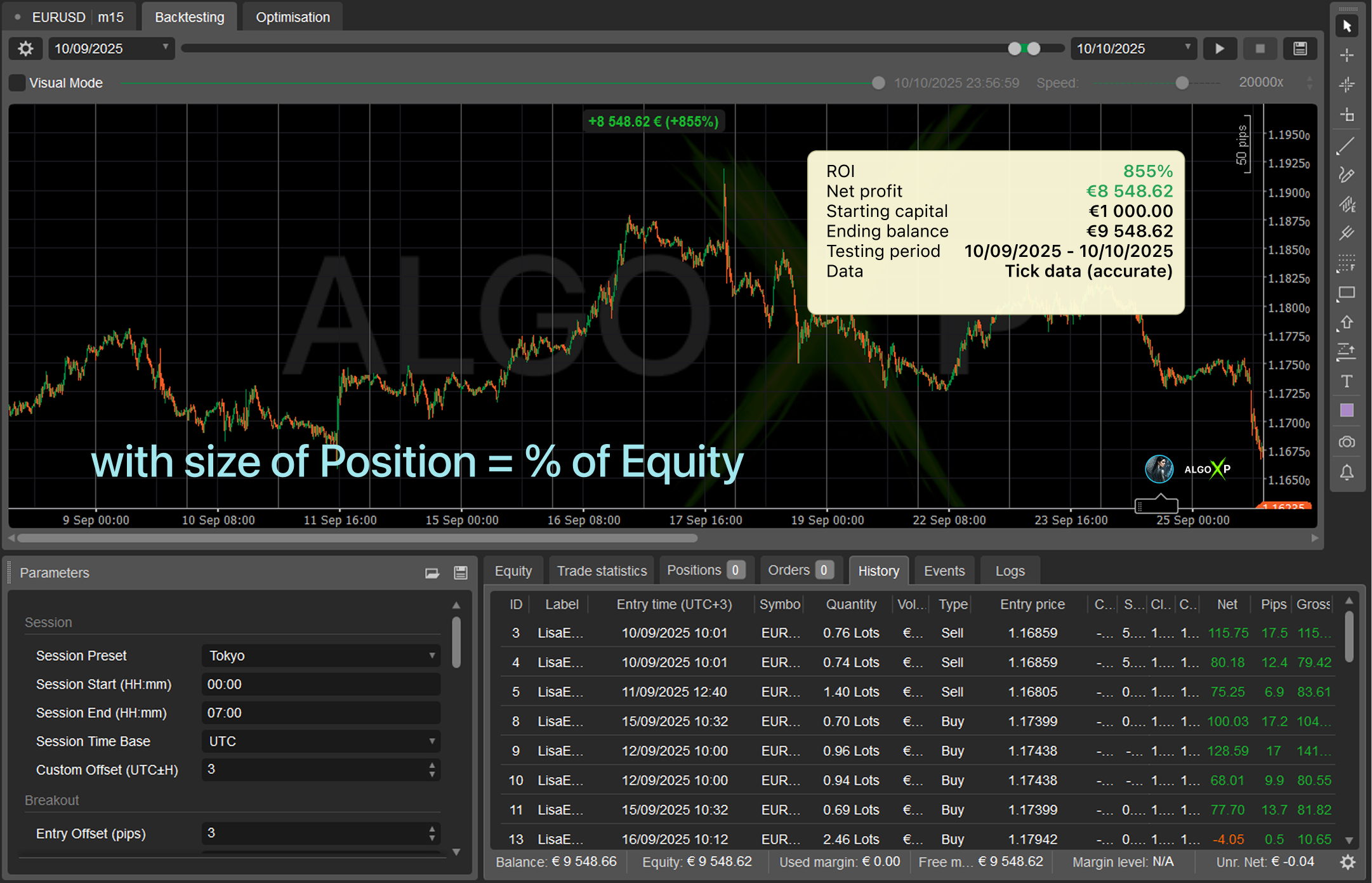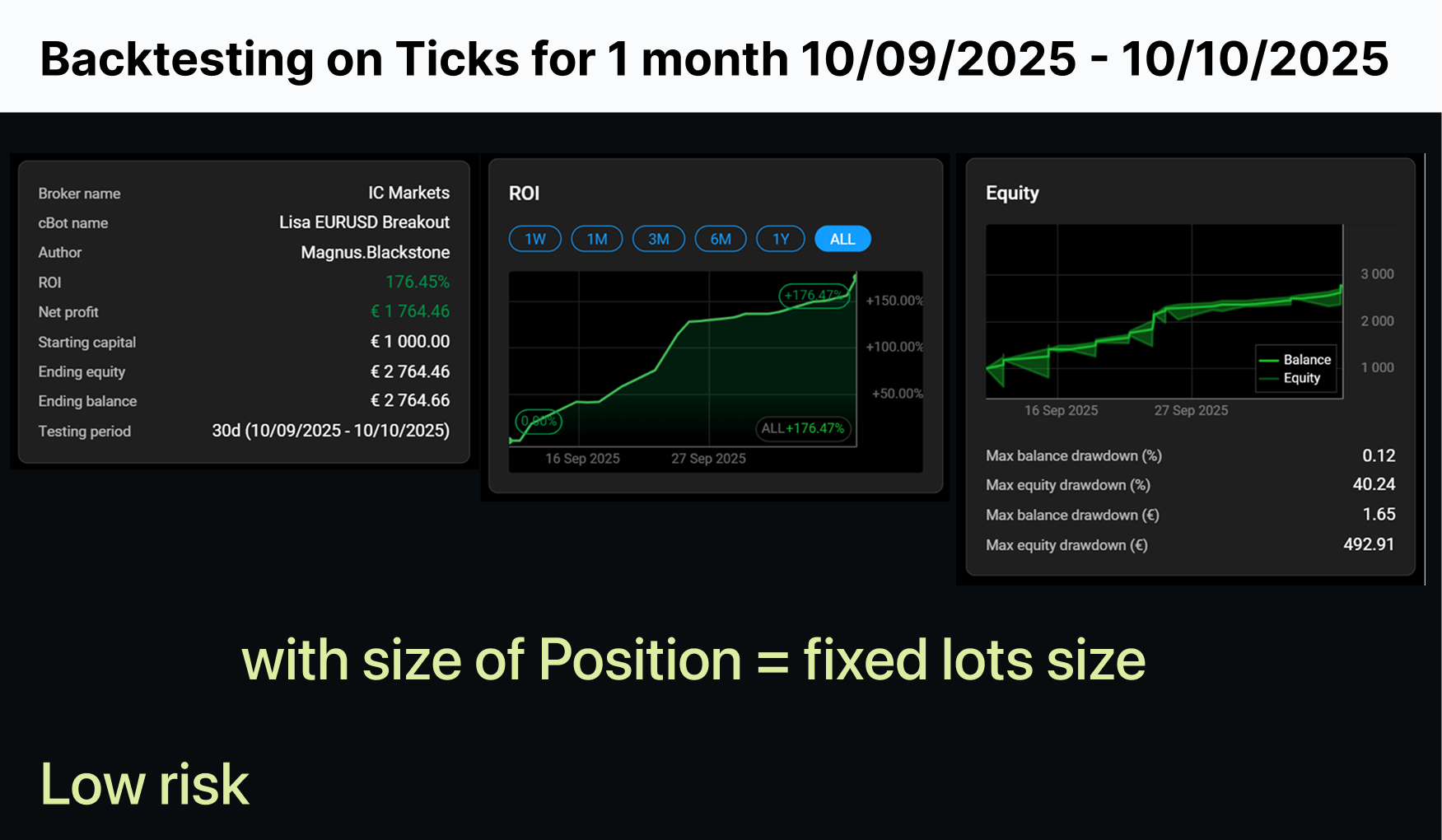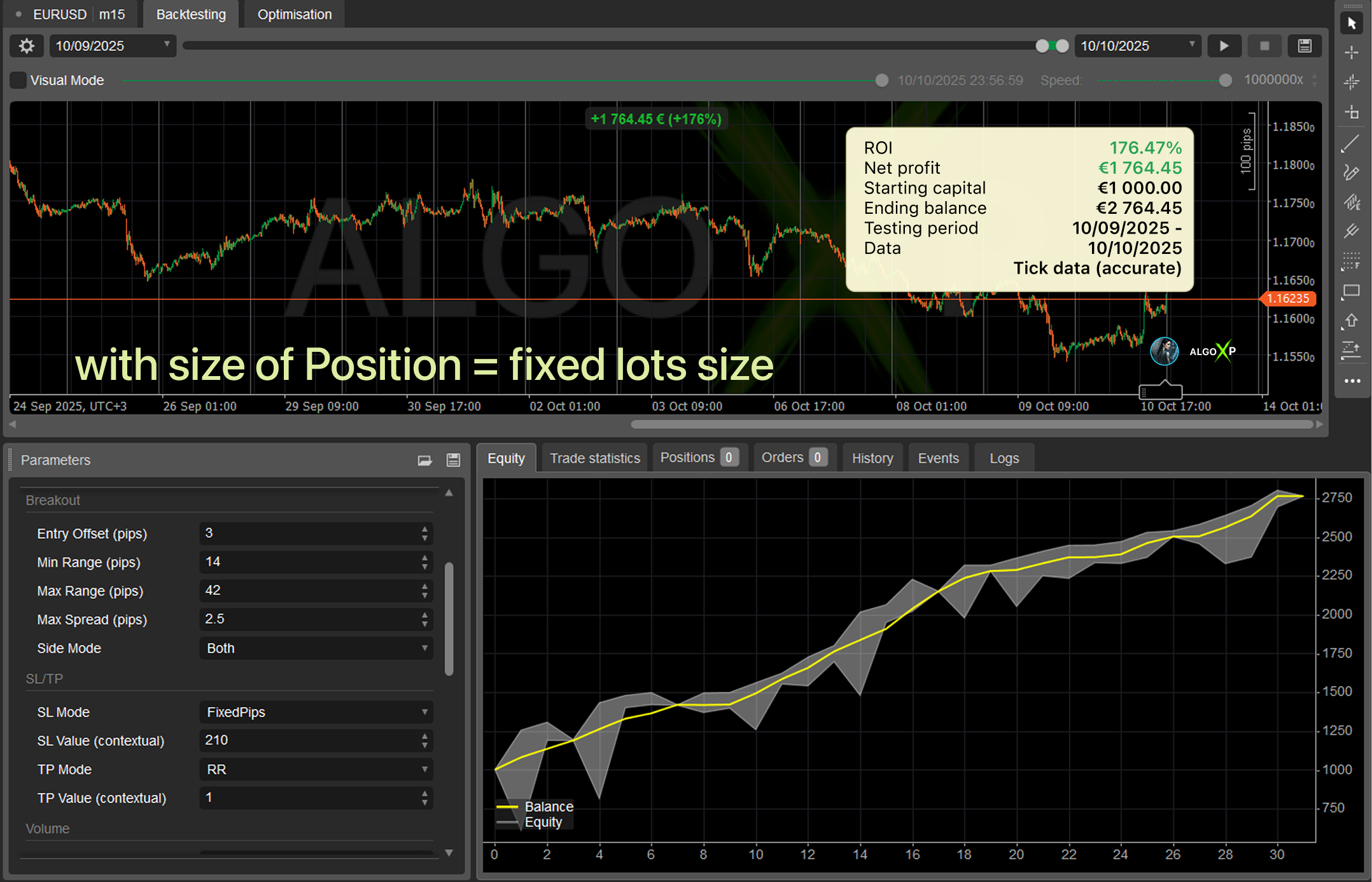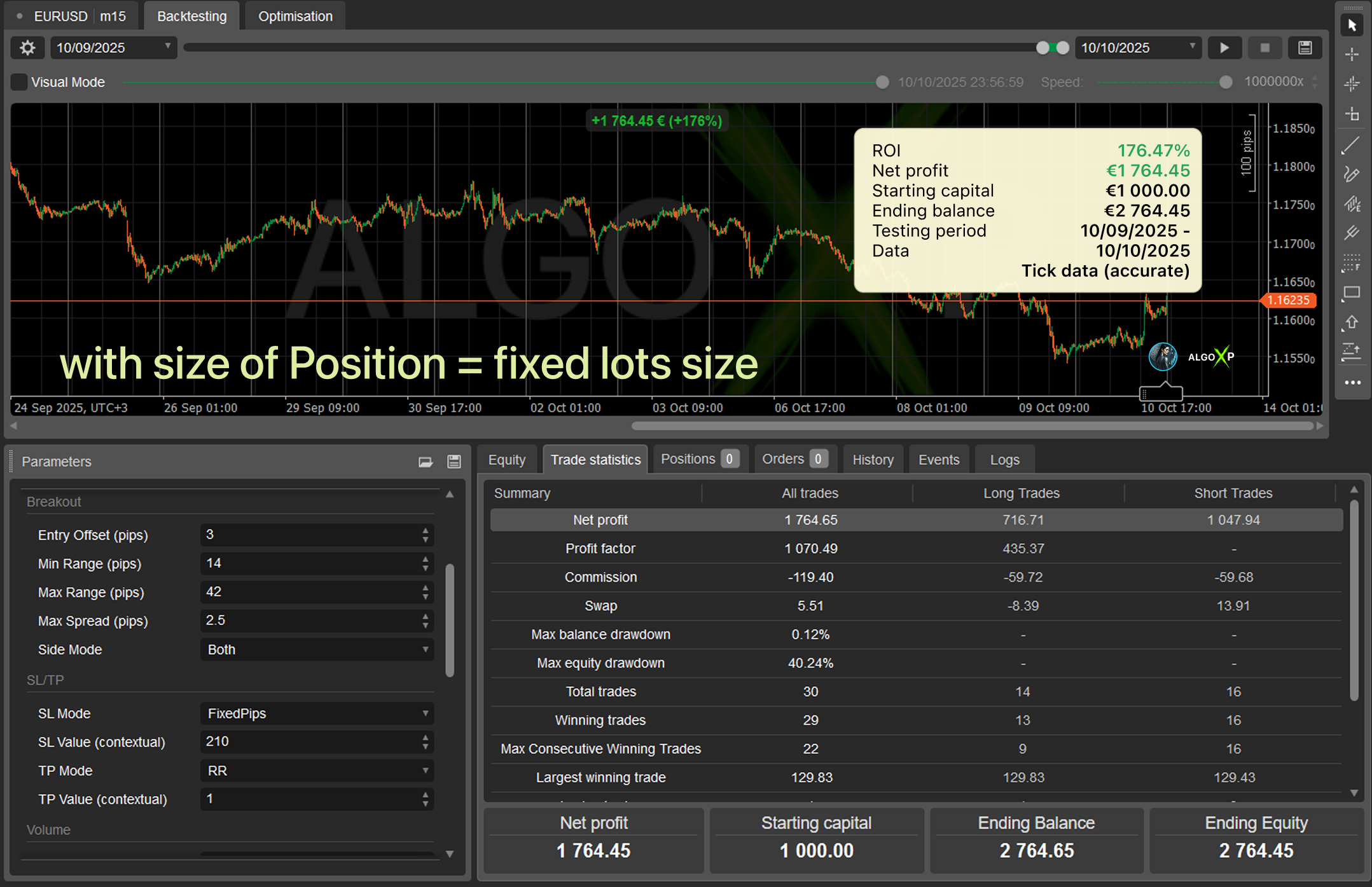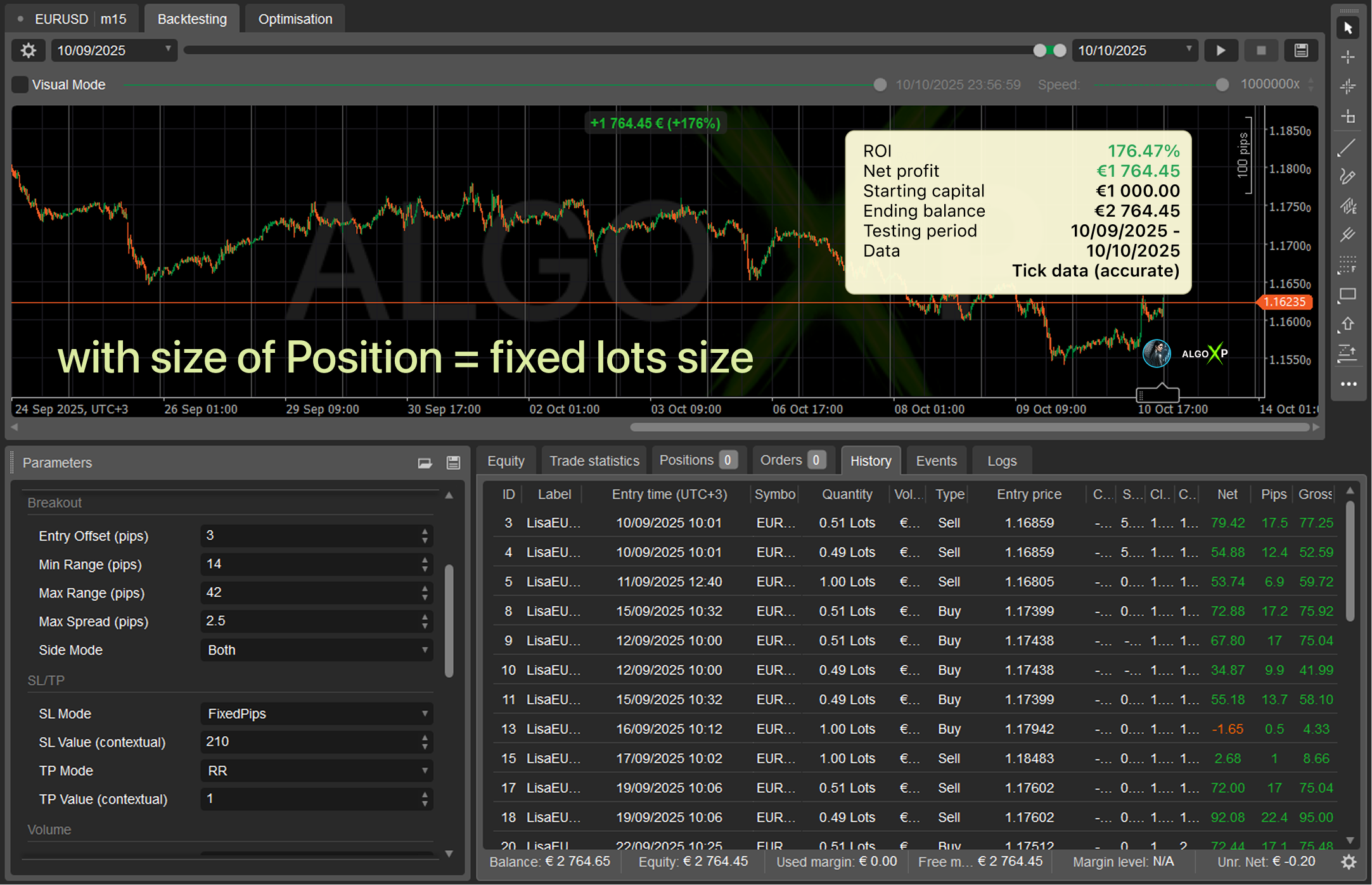


Lisa EURUSD Breakout is a purpose-built cTrader robot for EURUSD that trades a classic session box breakout with disciplined risk controls.
It builds a high/low box over a chosen trading window (Tokyo / London / New York / Overlap or Custom) and places exactly one pending order per side after the session closes.
The approach is inspired by the Samurai Breakout Pro II methodology, adapted for automated entries and modern risk management.
⚙️ What You Configure
- Session: preset or custom times (UTC/offset), cancel-after hours.
- Breakout: entry offset, min/max range, max spread, allowed side (Both/Buy only/Sell only).
- SL/TP: mode + single contextual value (as above).
- Volume: fixed lot.
- Order/Position: expiry, OCO, trailing, partials, visualization.
🧭 Why Lisa?
- Clear, classical breakout logic (no grids, no martingale).
- Session-first design: what you see in the box is what the bot trades.
- Built on Samurai Pro 2 methodology for box formation & breakout discipline.
🔧 Best Use
- Run on a consistent timeframe (e.g., M5–M30) that matches your session definition.
- Start with conservative SL/TP (e.g., SL: Fixed 10 pips, TP: Fixed 40 pips or RR 1:2–1:3), then iterate.
🛡️ Key built-in risk controls include:
- Daily stop-loss limits and floating drawdown protection
- Free margin and volume safeguards
Lisa EURUSD Breakout is ideal for traders who want a transparent, session-driven breakout system with simple SL/TP logic and sensible guardrails – without grids or martingale.
Trading involves risk. Backtests/optimizations show potential, not a guarantee. Real results depend on broker conditions (spread, commission, execution, leverage) and your settings. Always forward-test and optimize on tick data with your broker before going live.
Lisa EURUSD Breakout offers a wide range of parameters grouped into logical sections for easier setup.
🧭 Why Traders Like Lisa
Robust session handling – presets + Custom with correct UTC offset conversion.
Pure breakout logic – no grids or martingale.
Equity & margin protection – helps avoid margin stress and deep drawdowns.
Transparent controls – one SL mode + one TP mode at a time, no parameter spaghetti.
Lisa EURUSD Breakout – Parameters Overview
Session
- Session Preset (
Tokyo / London / NewYork / Overlap_LondonNY / Custom)
Determines the time window used to build the box. - Session Start / Session End (HH:mm)
Start/end of the box window in the selected time base. Applies when Custom (or to override). - Session Time Base (
UTC / CustomOffset)
Defines how Start/End are interpreted. With CustomOffset, an offset to UTC is applied. - Custom Offset (UTC±H)
Offset in hours relative to UTC (e.g.,3for UTC+3). Internally, time is converted to UTC as(local − offset).
Tip: Use London for a clean European session. For local hours, switch to CustomOffset and set your UTC shift.
Breakout
- Entry Offset (pips)
Extra pips added beyond the box high/low to reduce false breaks (typical 2–5 pips on EURUSD). - Min Range (pips) / Max Range (pips)
Acceptable box size. Days outside this range are skipped (helps avoid noise/abnormal days). - Max Spread (pips)
Maximum tolerated spread at order placement time (e.g., 1.0–2.5 for EURUSD). - Side Mode (
Both / OnlyBuy / OnlySell)
Which sides are allowed for the breakout.
SL/TP (Unified Interface)
- SL Mode (
Box / FixedPips)- Box: SL at the opposite box boundary + ~1 pip buffer.
- FixedPips: constant SL distance from entry in pips.
- SL Value (contextual)
Used when FixedPips (e.g., 12–20 pips). Ignored in Box mode. - TP Mode (
RR / FixedPips / BoxMultiple)- RR: TP =
TpValue × SL. - FixedPips: TP is a fixed pip distance.
- BoxMultiple: TP =
TpValue × box size.
- RR: TP =
- TP Value (contextual)
Multiplier or pips depending on TP mode: RR (multiplier), FixedPips (pips), BoxMultiple (box multiplier).
Starter suggestion: SL = FixedPips (15) and TP = RR (1.5).
Prefer geometry? Use SL = Box and TP = BoxMultiple (0.8–1.2).
Volume (Position Sizing)
Lisa supports three position sizing modes. Your choice here does not change the breakout logic — it only changes how big each pending order will be.
- Volume Mode (
FixedLots / RiskPercentEquityBySL / MarginPercentEquity)
Select how order volume is calculated:- FixedLots – uses a constant lot size.
- RiskPercentEquityBySL – sizes the position by risk per trade using the current Stop Loss distance (in pips).
- MarginPercentEquity – sizes the position by a target share of equity allocated to estimated margin (exposure control, not SL-risk).
- Fixed Lot (lots) (used in FixedLots mode)
The bot places orders with exactly this lot size (converted to units and normalized to broker steps). - Risk % of Equity (by SL) (used in RiskPercentEquityBySL mode)
This is the “proper” %-risk sizing: the bot calculates volume so that if Stop Loss is hit, the loss is approximately N% of current Equity.
The bot always has a valid SL distance:- With SL Mode = FixedPips, SL distance is
SL Value, clamped to a minimum of 1 pip. - With SL Mode = Box, SL distance is calculated from the session box (behind the opposite boundary + a small buffer), so it’s always > 0 in normal conditions.
Equity = €1,000
Risk = 10% ⇒ risk budget ≈ €100
Stop Loss = 25 pips
For EURUSD, 1.00 lot is roughly €9–€10 per pip (depends slightly on the EURUSD rate).
That means a 25-pip SL on 1 lot is about €225–€250 risk.
So the expected position size is around €100 / (€225–€250) ≈ 0.40–0.45 lots, which is roughly 40,000–45,000 units (exact value may vary slightly due to contract specs and volume-step rounding). - With SL Mode = FixedPips, SL distance is
- Margin % of Equity (used in MarginPercentEquity mode)
This mode targets a fixed portion of equity to be used as estimated margin for one order. It helps keep exposure/leverage behavior consistent, but it’s not the same as risk-by-SL: two trades with the same margin usage can have very different loss at SL depending on the Stop Loss distance and market contract value.
Note: All volume modes are still subject to the bot’s margin safety rules (e.g., Min Free Margin After Order). If the “what-if” margin check fails, the bot will reduce volume or skip placing the order, depending on your risk settings.
Order management
- Order Expiry (hours)
Per-order lifetime. If not triggered in time, the pending order expires automatically. - Cancel After (h) from SessionEnd
Post-session cleanup: N hours after the session end, cancel all remaining pendings and end the trading day.
Different from Order Expiry (per-order timer) — this is a session-based global broom. - Cancel Opposite On Fill
OCO behavior: when one side fills, cancel the opposite side.
Position management
- Enable Trailing / Trail Trigger (pips) / Trail Step (pips)
Enables trailing stop with activation distance and step. - Enable Partial Close / Partial @ +pips / Partial %
Partial exit once profit reaches the specified pips (e.g., close 51% at +17 pips).
Risk management
- Max Daily Floating DD (%)
Daily floating drawdown guard: ifEquityvsBalancedrops below −N%, flatten all bot positions and pendings for the day. - Min Free Margin After Order (%)
Pre-placement what-if margin check, as if the pending order had already filled. If free margin after < N%, block placement. - Stop cBot Equity DD from Start (%)
Equity circuit breaker: ifEquity ≤ StartEquity × (1 − N%), flatten everything and latch the bot (no more trading until restart).