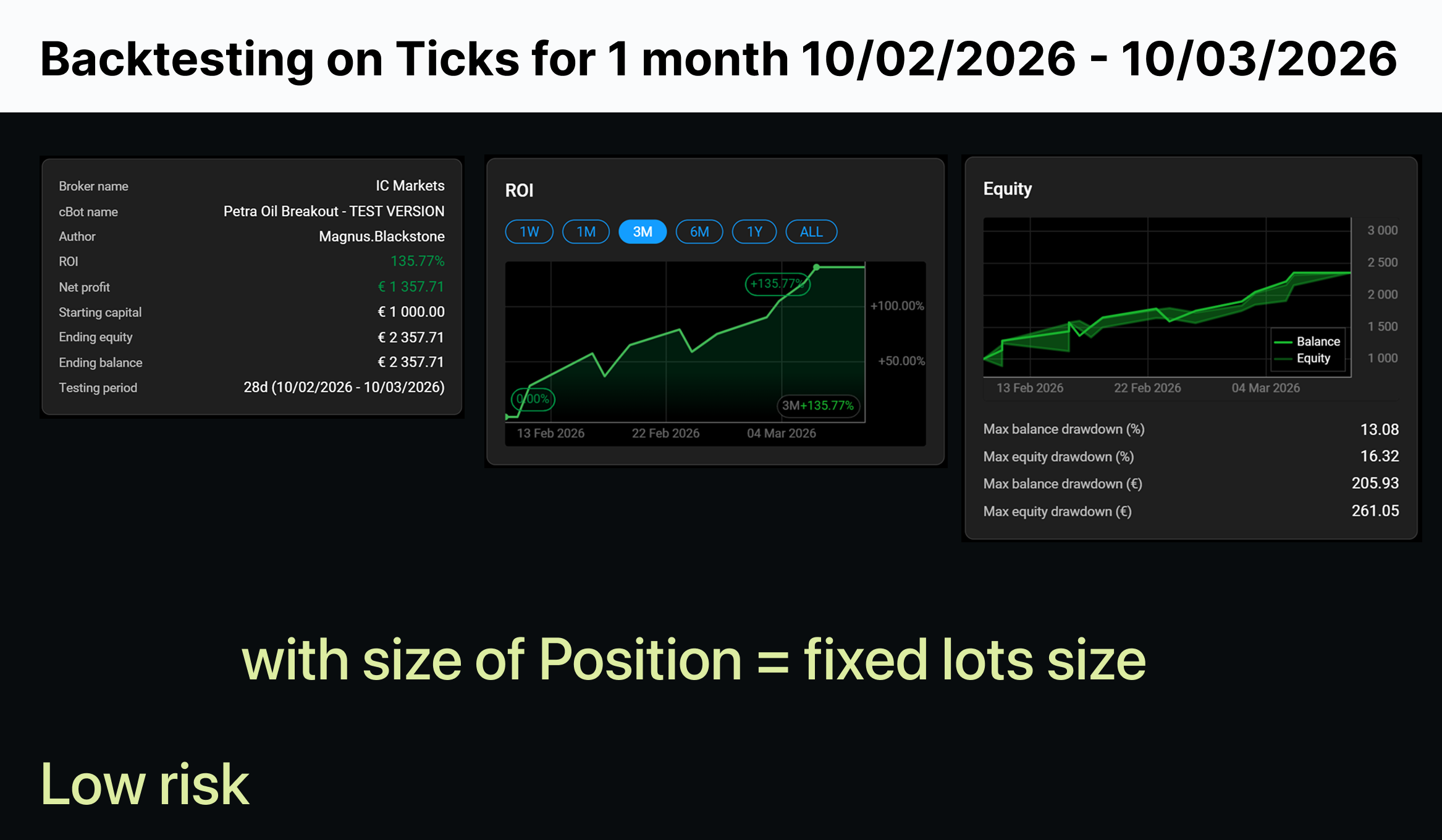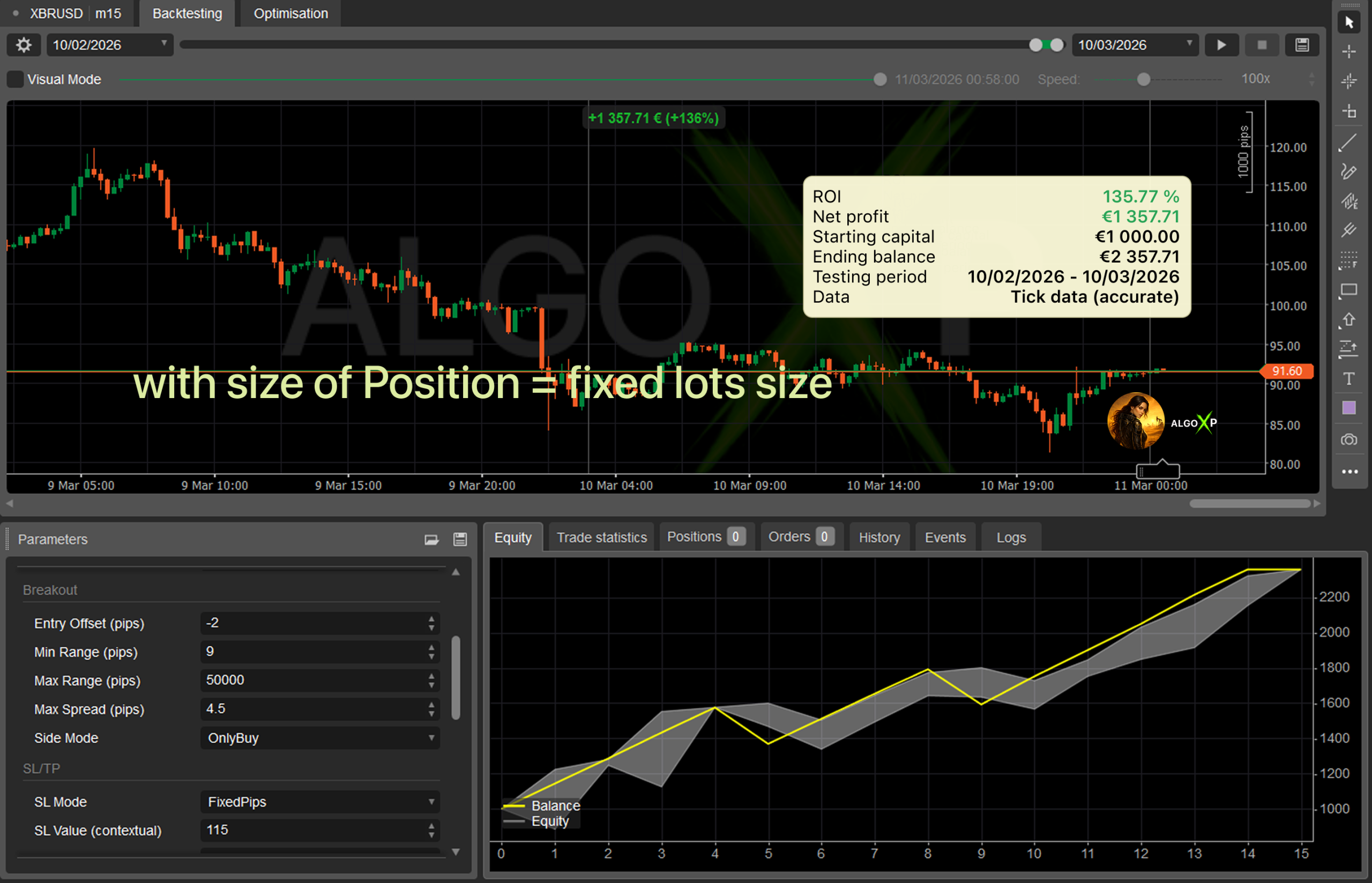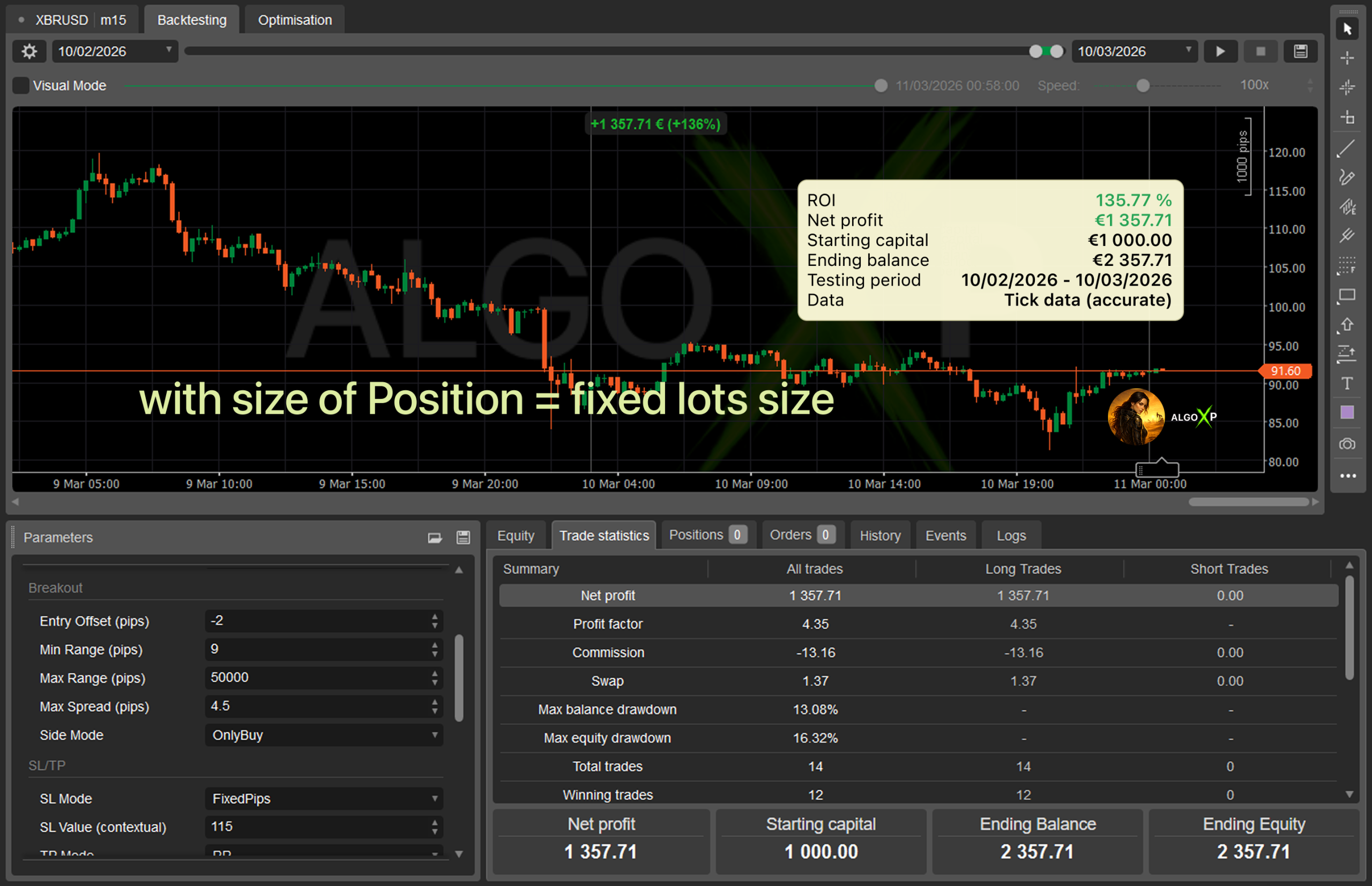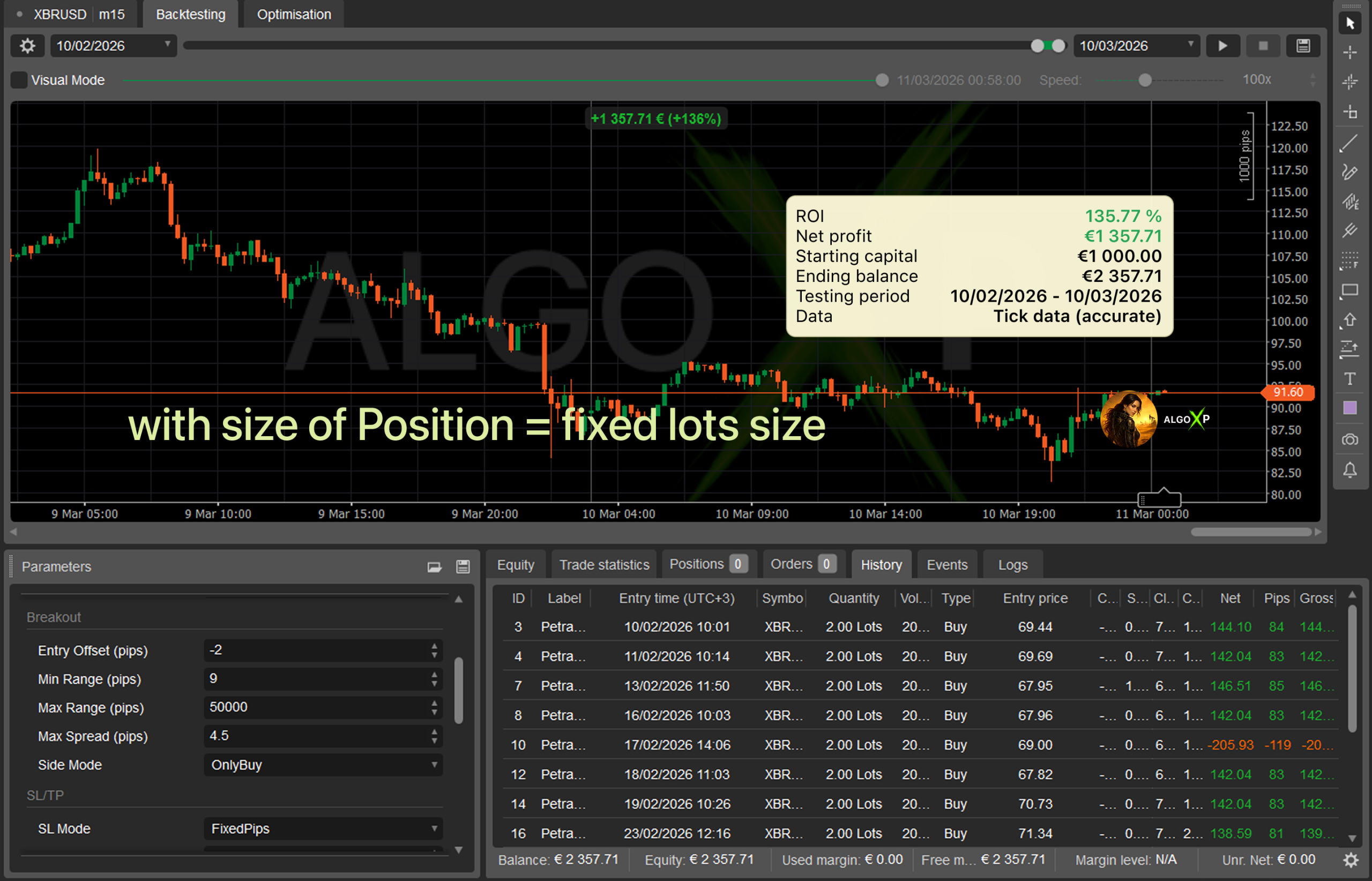


Petra Oil Breakout is a purpose-built cTrader robot for supported WTI and Brent oil symbols that trades a classic session box breakout with disciplined risk controls.
It builds a high/low box over a chosen trading window (Tokyo / London / New York / Overlap or Custom) and places pending breakout orders after the session closes.
The approach is based on a structured session-box breakout methodology, adapted for automated entries, flexible position sizing, and modern equity protection.
⚙️ What You Configure
Session: preset or custom times, UTC or custom offset, cancel-after hours.
Breakout: entry offset, min/max range, max spread, allowed side (Both / Buy only / Sell only).
SL/TP: mode + single contextual value.
Volume: fixed lots, risk % of equity by SL, or margin % of equity.
Order Management: expiry, auto-cancel after session end, visualization.
🧭 Why Petra?
Clear, classical breakout logic (no grids, no martingale).
Session-first design: what you see in the box is what the bot trades.
Built specifically for oil breakout trading with focused symbol filtering for supported WTI / Brent aliases.
🔧 Best Use
Run on a consistent timeframe (for example M5–M30) that matches your session definition.
Start with conservative SL/TP settings, then optimize based on your broker’s oil symbol specifications, spread, and execution conditions.
🛡️ Key built-in risk controls include:
Floating drawdown protection
Free margin and volume safeguards
Equity drawdown stop from cBot start
Petra Oil Breakout is ideal for traders who want a transparent, session-driven oil breakout system with simple SL/TP logic and sensible guardrails – without grids or martingale.
Trading involves risk. Backtests/optimizations show potential, not a guarantee. Real results depend on broker conditions (spread, commission, execution, leverage) and your settings. Always forward-test and optimize on tick data with your broker before going live.
Petra Oil Breakout offers a focused set of parameters grouped into logical sections for easier setup.
🧭 Why Traders Like Petra
Robust session handling – presets + Custom session with UTC or custom offset support.
Pure breakout logic – no grids, no martingale.
Equity & margin protection – includes floating drawdown stop, free margin checks, and equity protection from cBot start.
Transparent controls – one SL mode and one TP mode at a time, with clear position sizing options.
Petra Oil Breakout – Parameters Overview
Session
- Session Preset (
Tokyo / London / NewYork / Overlap_LondonNY / Custom)
Determines the time window used to build the box. - Session Start / Session End (HH:mm)
Start/end of the box window in the selected time base. Applies when Custom (or to override). - Session Time Base (
UTC / CustomOffset)
Defines how Start/End are interpreted. With CustomOffset, an offset to UTC is applied. - Custom Offset (UTC±H)
Offset in hours relative to UTC (e.g.,3for UTC+3). Internally, time is converted to UTC as(local − offset).
Tip: Use London for a clean European session. For local hours, switch to CustomOffset and set your UTC shift.
Breakout
- Entry Offset (pips)
Extra pips added beyond the box high/low to reduce false breaks (typical 2–5 pips on EURUSD). - Min Range (pips) / Max Range (pips)
Acceptable box size. Days outside this range are skipped (helps avoid noise/abnormal days). - Max Spread (pips)
Maximum tolerated spread at order placement time (e.g., 1.0–2.5 for EURUSD). - Side Mode (
Both / OnlyBuy / OnlySell)
Which sides are allowed for the breakout.
SL/TP (Unified Interface)
- SL Mode (
Box / FixedPips)- Box: SL at the opposite box boundary + ~1 pip buffer.
- FixedPips: constant SL distance from entry in pips.
- SL Value (contextual)
Used when FixedPips (e.g., 12–20 pips). Ignored in Box mode. - TP Mode (
RR / FixedPips / BoxMultiple)- RR: TP =
TpValue × SL. - FixedPips: TP is a fixed pip distance.
- BoxMultiple: TP =
TpValue × box size.
- RR: TP =
- TP Value (contextual)
Multiplier or pips depending on TP mode: RR (multiplier), FixedPips (pips), BoxMultiple (box multiplier).
Starter suggestion: SL = FixedPips (15) and TP = RR (1.5).
Prefer geometry? Use SL = Box and TP = BoxMultiple (0.8–1.2).
Volume (Position Sizing)
Lisa supports three position sizing modes. Your choice here does not change the breakout logic — it only changes how big each pending order will be.
- Volume Mode (
FixedLots / RiskPercentEquityBySL / MarginPercentEquity)
Select how order volume is calculated:- FixedLots – uses a constant lot size.
- RiskPercentEquityBySL – sizes the position by risk per trade using the current Stop Loss distance (in pips).
- MarginPercentEquity – sizes the position by a target share of equity allocated to estimated margin (exposure control, not SL-risk).
- Fixed Lot (lots) (used in FixedLots mode)
The bot places orders with exactly this lot size (converted to units and normalized to broker steps). - Risk % of Equity (by SL) (used in RiskPercentEquityBySL mode)
This is the “proper” %-risk sizing: the bot calculates volume so that if Stop Loss is hit, the loss is approximately N% of current Equity.
The bot always has a valid SL distance:- With SL Mode = FixedPips, SL distance is
SL Value, clamped to a minimum of 1 pip. - With SL Mode = Box, SL distance is calculated from the session box (behind the opposite boundary + a small buffer), so it’s always > 0 in normal conditions.
Equity = €1,000
Risk = 10% ⇒ risk budget ≈ €100
Stop Loss = 25 pips
For EURUSD, 1.00 lot is roughly €9–€10 per pip (depends slightly on the EURUSD rate).
That means a 25-pip SL on 1 lot is about €225–€250 risk.
So the expected position size is around €100 / (€225–€250) ≈ 0.40–0.45 lots, which is roughly 40,000–45,000 units (exact value may vary slightly due to contract specs and volume-step rounding). - With SL Mode = FixedPips, SL distance is
- Margin % of Equity (used in MarginPercentEquity mode)
This mode targets a fixed portion of equity to be used as estimated margin for one order. It helps keep exposure/leverage behavior consistent, but it’s not the same as risk-by-SL: two trades with the same margin usage can have very different loss at SL depending on the Stop Loss distance and market contract value.
Note: All volume modes are still subject to the bot’s margin safety rules (e.g., Min Free Margin After Order). If the “what-if” margin check fails, the bot will reduce volume or skip placing the order, depending on your risk settings.
Order management
- Order Expiry (hours)
Per-order lifetime. If not triggered in time, the pending order expires automatically. - Cancel After (h) from SessionEnd
Post-session cleanup: N hours after the session end, cancel all remaining pendings and end the trading day.
Different from Order Expiry (per-order timer) — this is a session-based global broom.
Risk management
- Max Daily Floating DD (%)
Daily floating drawdown guard: ifEquityvsBalancedrops below −N%, flatten all bot positions and pendings for the day. - Min Free Margin After Order (%)
Pre-placement what-if margin check, as if the pending order had already filled. If free margin after < N%, block placement. - Stop cBot Equity DD from Start (%)
Equity circuit breaker: ifEquity ≤ StartEquity × (1 − N%), flatten everything and latch the bot (no more trading until restart).