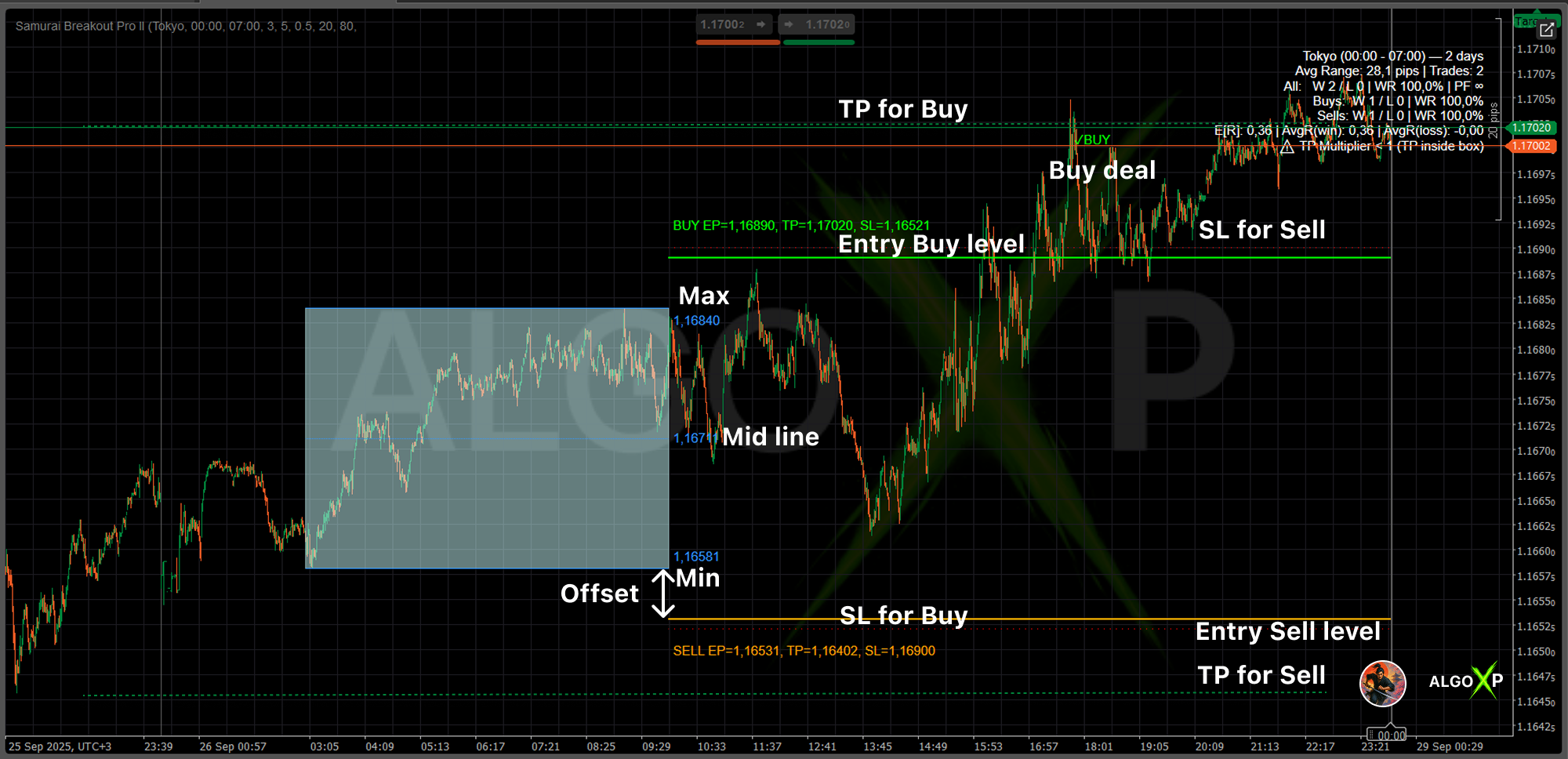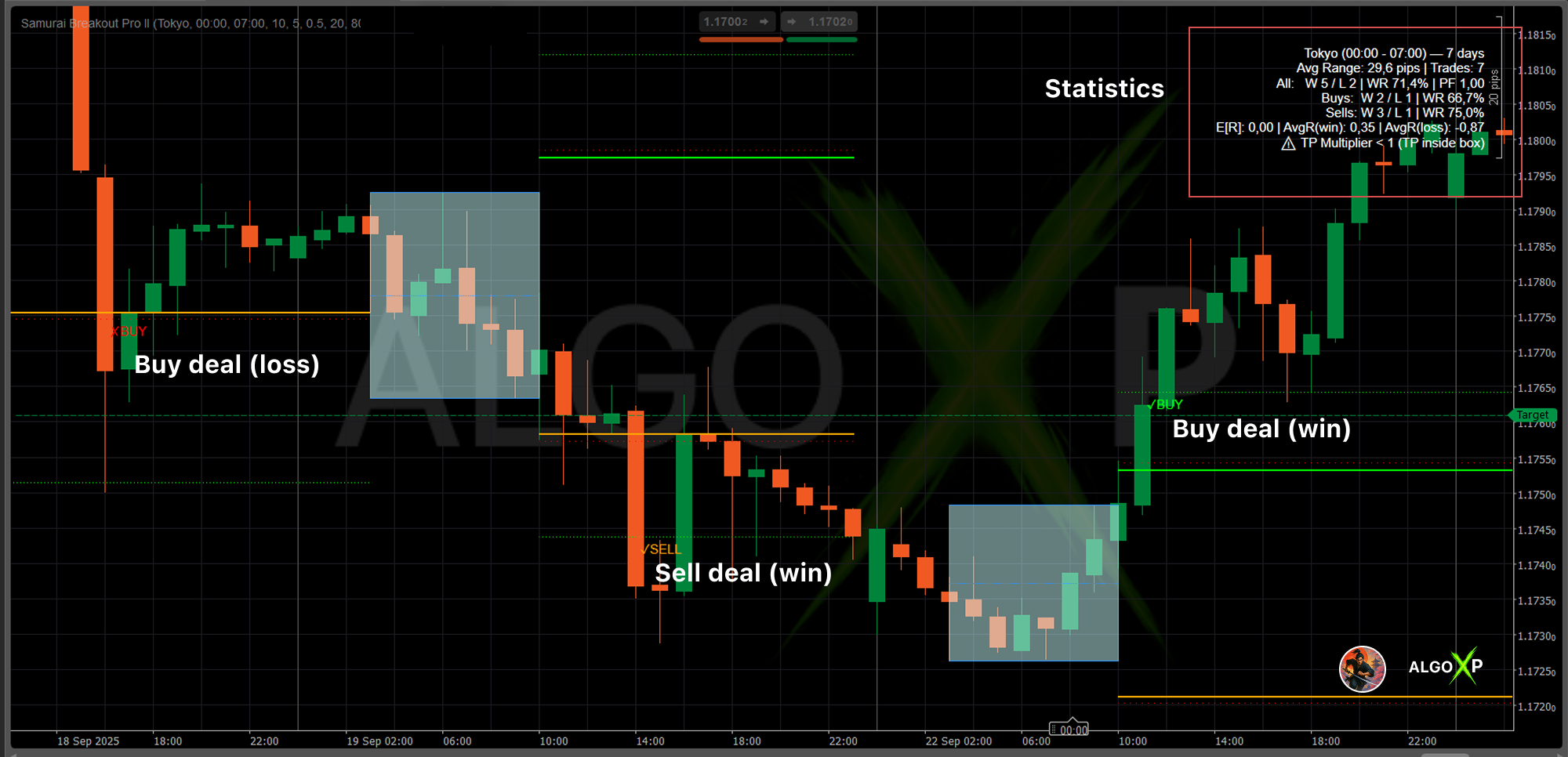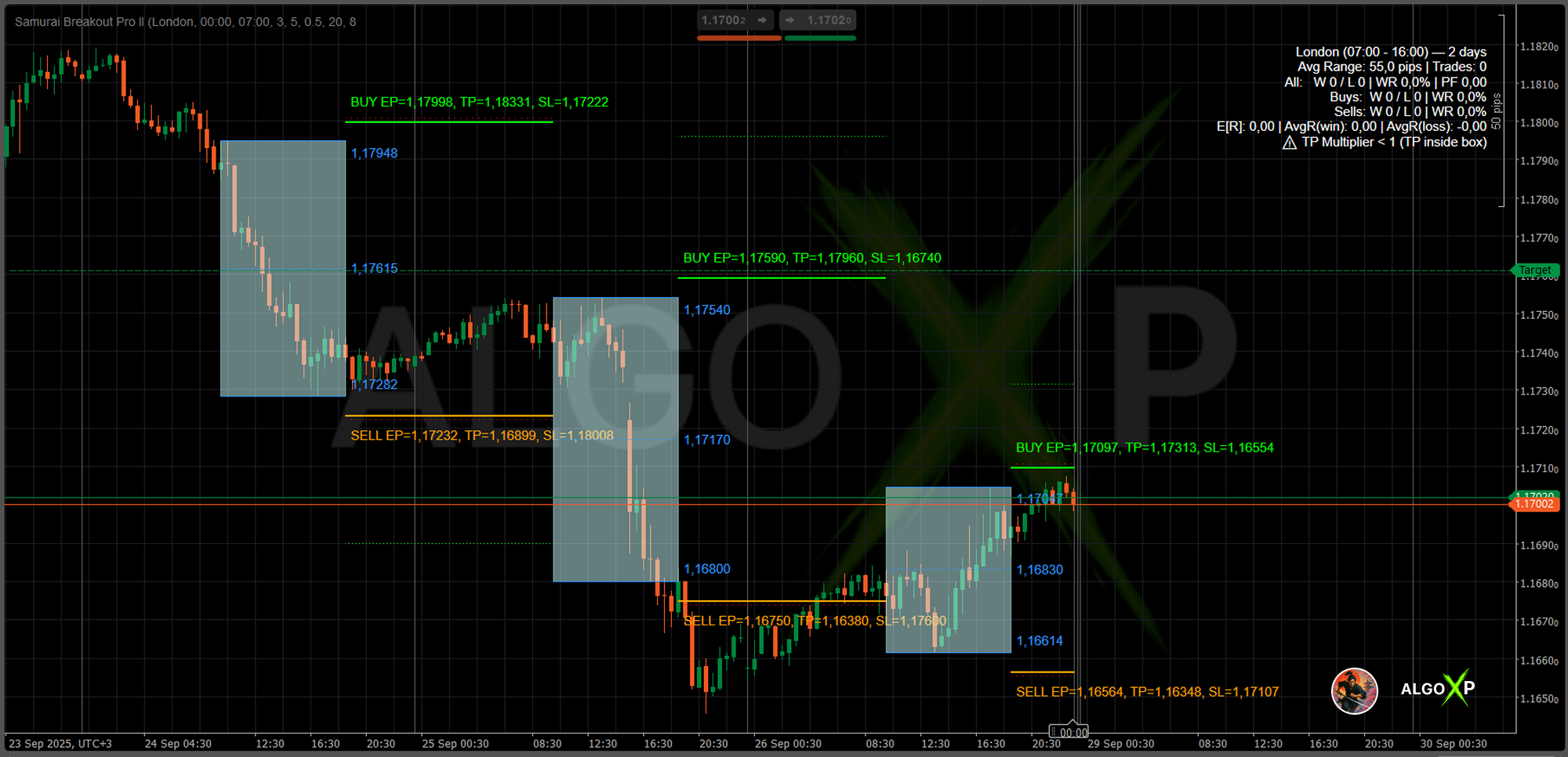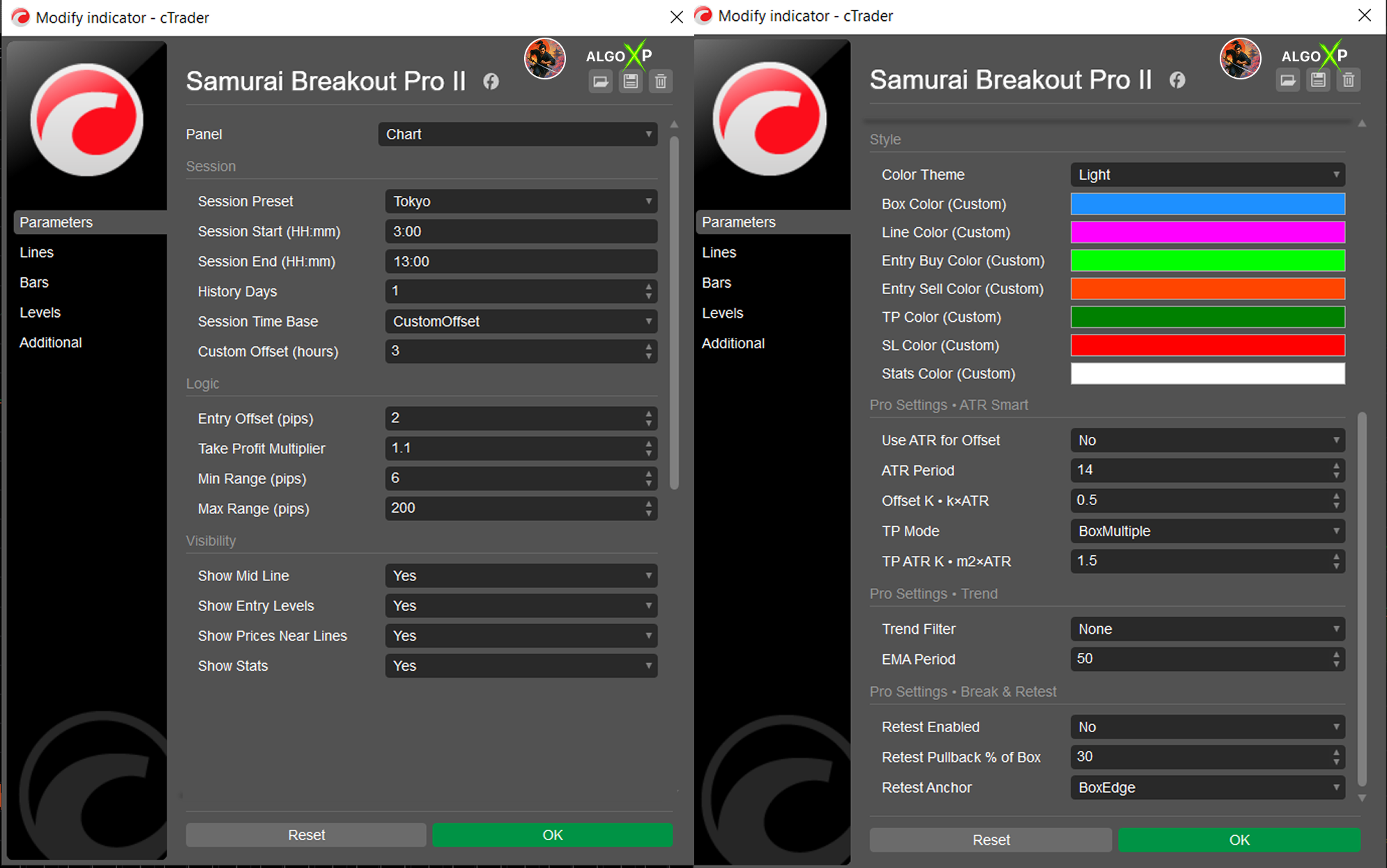



⚔️ Samurai Breakout Lite is the streamlined sibling of our Pro workstation. It draws a clean session box (Tokyo / London / New York / Overlap) and optional breakout plan (EP/TP/SL) for the trading segment right after the session closes. You get a fast, readable framework to practice session breakouts—without overwhelm.
- Session-aware: curated presets in UTC (Tokyo, London, New York, Overlap).
- Focused visuals: box + High/Low/Mid lines, and (optionally) breakout EP/TP/SL for the trade window.
- Simple tuning: Entry Offset, TP Multiplier, and Min/Max Range.
- Lightweight HUD: shows the selected session and the number of rendered days.
- Designed for learning & validation: ideal for testing session logic and getting chart-ready setups quickly.
Works out-of-the-box on Forex, gold, indices, oil, crypto across intraday and swing timeframes.
⚡ Why Pro?
- Perfect for systematic and professional traders.
- Adds discipline and data to breakout trading.
- See exactly how often your strategy wins or loses.
- Advanced customization and full control of parameters.
Samurai II Pro vs Lite – what you unlock by upgrading
Lite gives you:
- Session presets (UTC)
- Clean box with High/Low (+ optional Mid)
- Optional EP/TP/SL over the trading segment
- Entry Offset, TP Multiplier, Min/Max Range
- HUD with Session + Days (max 3 days on chart)
Pro adds the workstation layer:
- ATR-Smart scaling (ATR offset, ATR TP) for cross-symbol portability
- Trend filter (EMA) and Break-&-Retest quality gates
- On-chart outcomes (✓/✗) and R-analytics (E[R], PF, Avg R(win/loss), Buy/Sell split, #Trades)
- Extended history (longer lookbacks)
- Price labels for lines
- Custom colors and additional UI refinements
- Smarter warnings (e.g., spread vs box)
If you want a rules-based, portable, and measurable breakout workflow with on-chart scoring—Pro is your upgrade path.
How it works
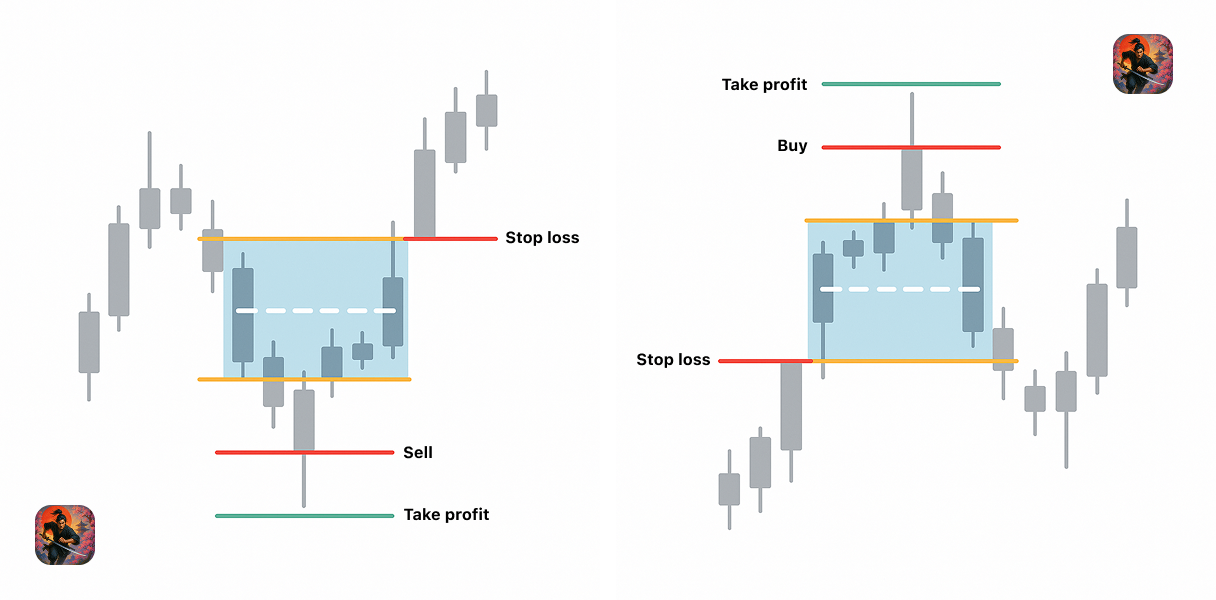
- During your chosen session window (preset in UTC), the indicator scans price action and captures High and Low.
- At session close, it plots a box (High/Low) with an optional Mid line.
- For the active trading segment (from session end to the next session start), it can draw:
- Buy Entry (EP) above the box High by an Entry Offset (pips);
- Sell Entry (EP) below the box Low by the same offset;
- TP at Box Height × TP Multiplier from EP;
- SL beyond the opposite side of the box (small internal gap for clarity).
- You can display up to 3 recent days to compare recent behavior and tune parameters.
No heavy analytics, no R-math—just a clean, disciplined breakout layout that keeps you focused on execution.
How to use
- Pick a session preset (Tokyo, London, New York, Overlap).
- Limit noise: set Min/Max Range to skip days that are too narrow (noise) or too wide (overextended).
- Shape entries: start with Entry Offset = 3–7 pips, then adjust by symbol/TF.
- Choose targets: set TP Multiplier = 1.5–2.5 for classic range-multiple targets.
- Display entries: enable Show Entry Levels to see EP/TP/SL only on the trading segment.
- Read the HUD: it shows your session preset and Days: 1–3 so you know exactly what’s on chart.
- Iterate day-by-day until the setup looks clean and repeatable for your instrument and timeframe.
Tip: Turn Show Mid Line ON to use the midpoint as a contextual guide for pullbacks and intraday S/R.
Samurai Breakout Lite – Parameters Overview
Session
- Session Preset
Chooses which liquidity window defines the box.
Options: Tokyo (00:00–07:00 UTC), London (07:00–16:00 UTC), New York (13:00–22:00 UTC), Overlap London/NY (12:00–16:00 UTC).
Use this to align with the trading hours you actually engage. - History Days (max 3)
How many recent days to render.
Typical: 1–3.
Smaller = cleaner, recent focus; larger is capped for Lite to keep it lightweight.
Logic
- Entry Offset (pips)
Lifts Buy EP above the box High and drops Sell EP below the box Low.
Purpose: filter tiny wicks/weak pokes; higher offset = fewer, cleaner entries. - Take Profit Multiplier
Sets TP as Box Height × Multiplier (from EP).
Example: Box 25 pips, Multiplier 2.0 → TP = 50 pips from EP.
Higher hunts longer runs; lower locks quicker profits. - Min Range / Max Range (pips)
Filters session boxes by height.
Too small (< Min) = likely noise → skip.
Too big (> Max) = overextended → skip.
Helps keep only tradable days.
Visibility & Style
- Show Mid Line
Toggles the midpoint between High and Low (useful for context and structure). - Show Entry Levels
Draws Buy/Sell EP + TP/SL only across the post-session trading segment (from session end to next session start).
Off → only box (range view). - Color Theme
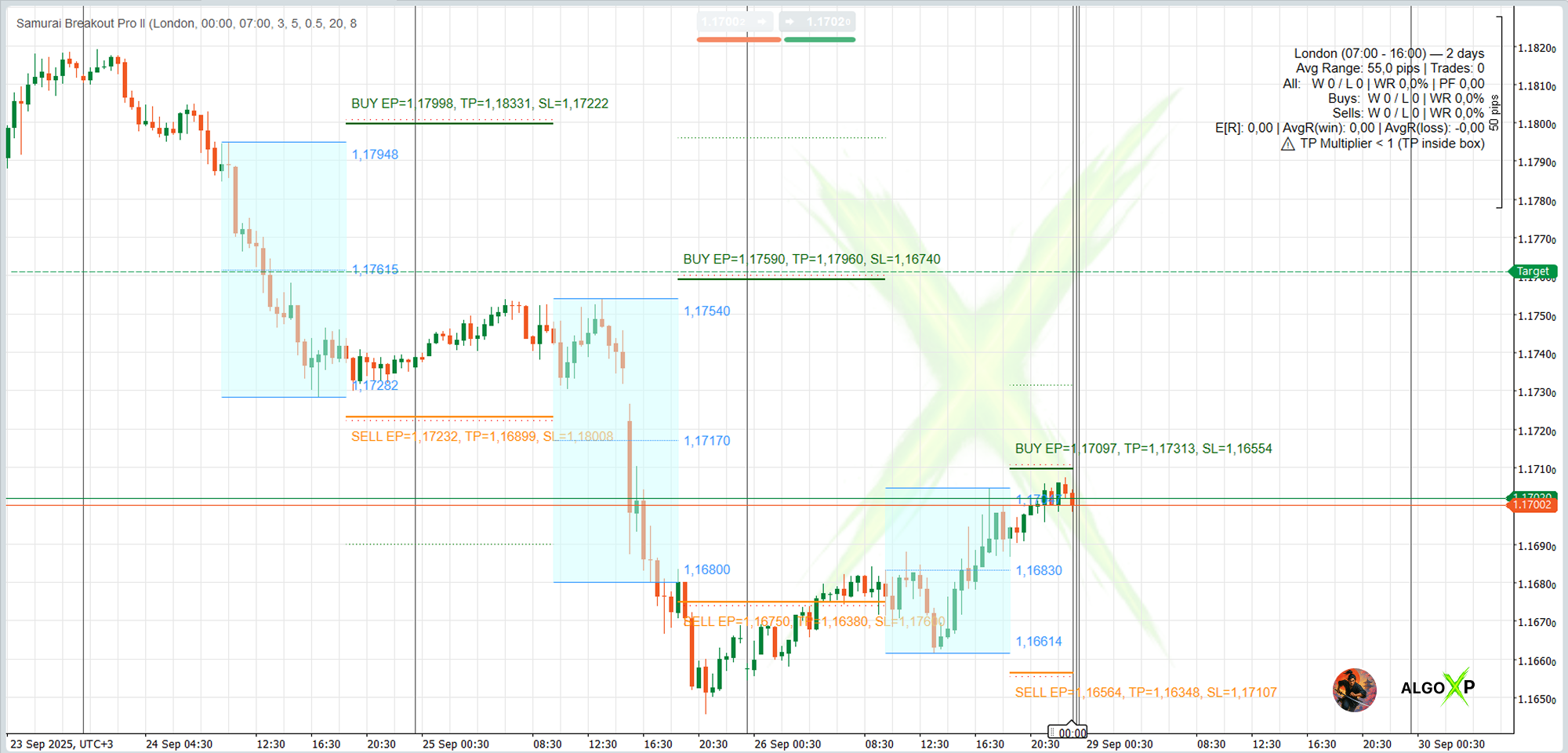
Dark / Light curated palettes for clean contrast.
(No custom colors in Lite.)
HUD (always on): shows the selected session and Days: N (1–3).
(No statistics or price labels in Lite.)
All features avaliable only in Pro version