

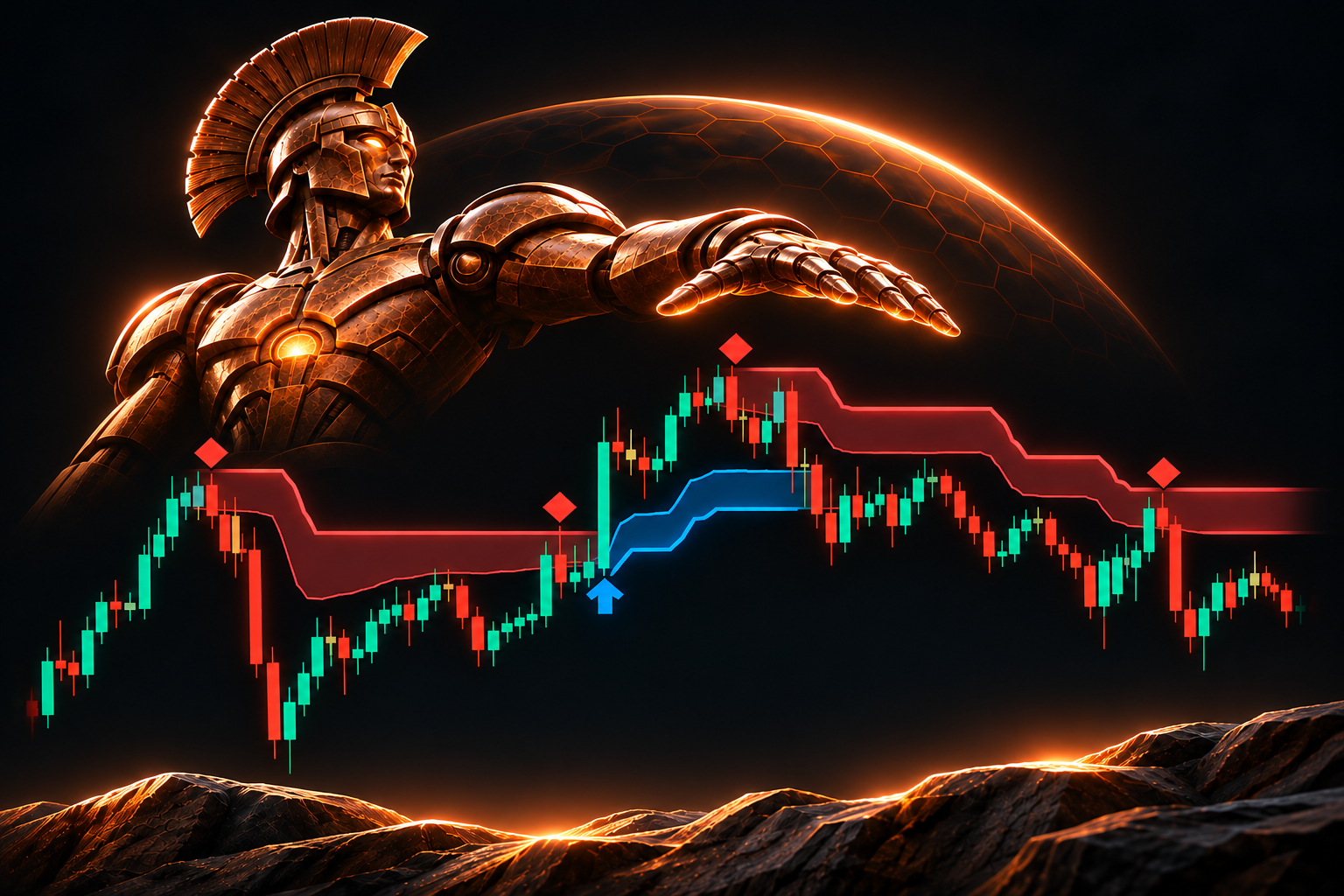
🛡️ ARGO Smart Trail – Adaptive Trend Protection
Follow the trend. Let the trail adapt.
⚡ ARGO Smart Trail is an intelligent trend-following indicator for cTrader that combines adaptive ATR trailing, dynamic support/resistance zones, and confirmed trend signals.
Unlike traditional fixed-multiplier trails, ARGO uses Kaufman’s Efficiency Ratio to adapt to market noise – giving price more room in choppy conditions and tracking clean trends more closely.
🚀 Why traders choose ARGO
- Smart Adaptive Trail – ATR + market efficiency automatically adjust the trailing distance.
- Dynamic S/R Zones – blue support and red resistance zones adapt to volatility.
- Confirmed Trend Switches – clear Buy/Sell arrows when price confirms a directional change.
- Smart Retest Signals – optional markers highlight potential trend-continuation setups.
- Less Noise, More Structure – confirmation rules and retest filters help avoid unnecessary signals.
- Simple Setup – five sensitivity presets, no complicated calculations.
- Live Alerts & Dashboard – optional notifications and real-time trend information.
🎯 How to Use
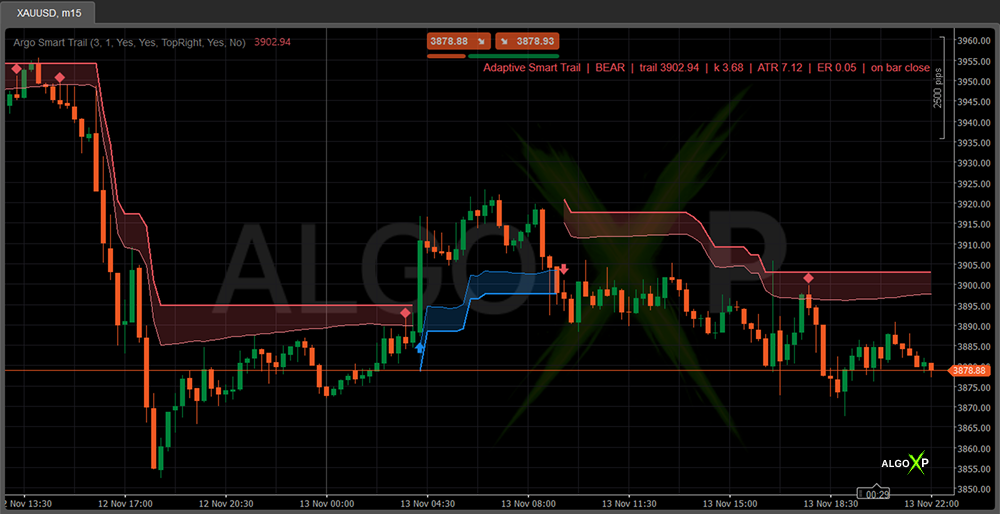
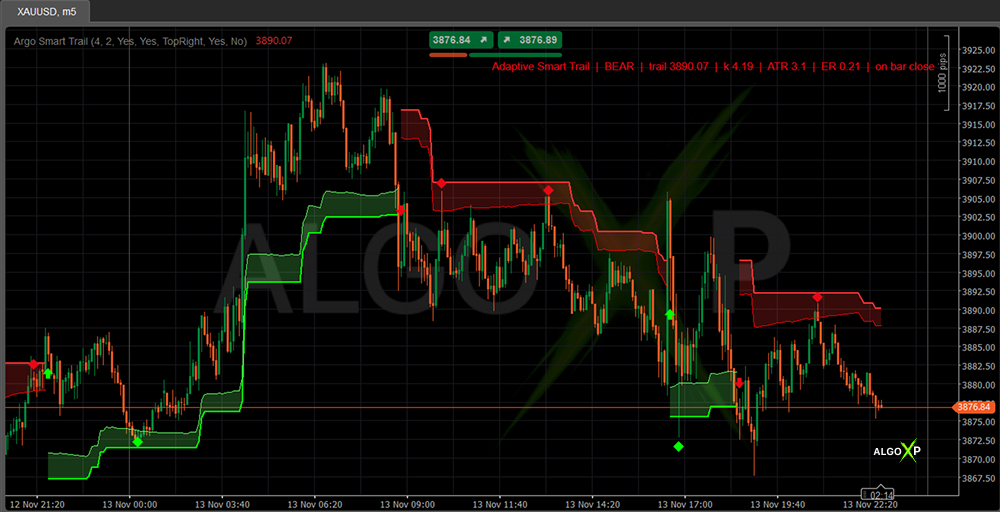
🔵 Blue trail: bullish trend – watch the dynamic support zone for pullbacks.
🔴 Red trail: bearish trend – monitor resistance and potential trend continuation.
🔄 Switch arrows: confirmed changes in trailing direction.
💎 Retest markers: potential continuation after price tests the active zone.
⚙️ Quick Start
Sensitivity 3 + Confirm Bars 1 – balanced default setup.
Use ARGO on Forex, Gold, indices, and crypto across different timeframes. Adjust sensitivity to your preferred trading style.
✨ ARGO Smart Trail – Stay with the trend. Adapt to the market.
ARGO is an analytical indicator, not an automated trading system. It does not place orders or guarantee trading results.
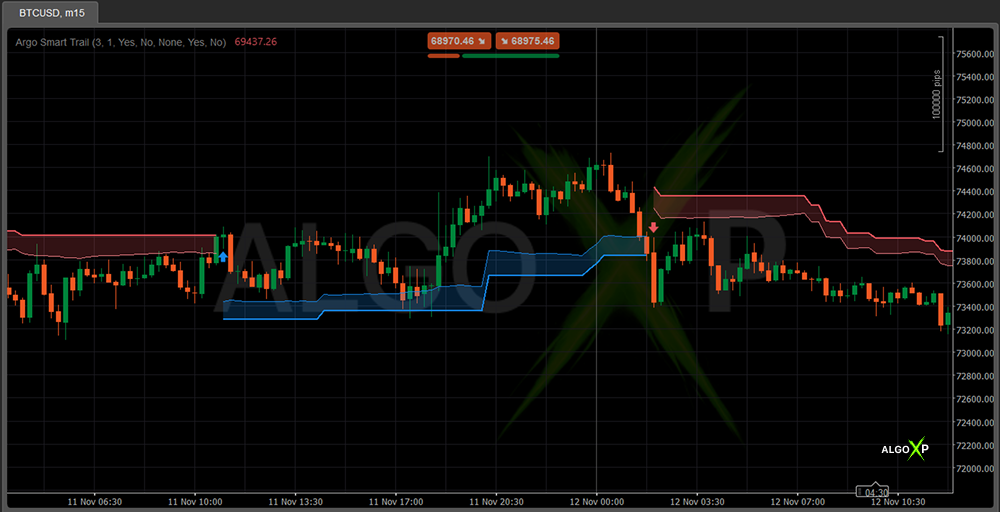
How Argo Smart Trail works
The trail sits one adaptive ATR distance away from price. The distance grows when the Efficiency Ratio is low (choppy market) and shrinks toward its base value when price moves cleanly. The trail only advances in the trend direction.
When price closes beyond the trail for the chosen number of candles, the trend switches and a new trail starts on the other side of price.
- Blue trail and zone — bullish trend; the zone above the trail is dynamic support.
- Red trail and zone — bearish trend; the zone below the trail is dynamic resistance.
- Arrow — a confirmed trend switch on the closed candle.
- Retest marker — price tested the zone and closed back in the trend direction.
The current candle shows a provisional trail level that is finalized when the candle closes.
Argo Smart Trail – Parameters Overview
Trend
- Sensitivity (1 Fast – 5 Smooth) — default 3. Lower values react faster with a closer trail; higher values give a wider, smoother trail and fewer switches.
- Confirm Bars — default 1. Consecutive closed candles beyond the trail required to confirm a switch (1–3).
Signals
- Show Switch Signals — default On. Shows switch arrows.
- Show Retest Signals — default Off. Shows retest markers and enables retest alerts.
Colors and Panel
- Bullish / Bearish Color — Blue / Red. Colors of the markers and of the panel text in trend-color mode.
- State Panel — default None. Shows the status panel in a chosen corner, or hides it.
- Panel Trend Colors — default Yes. Colors the panel text by trend.
- Panel Color — default Grey. Panel text color when trend colors are off, and during warm-up.
- Trail and zone colors — set in the indicator’s line settings (Bull Trail, Bear Trail and the zone lines). [Check: the current description says the bull zone follows “Bull Cloud Edge” and the bear zone follows “Bear Trail” — align with the code before publishing.]
Alerts
- Popup Alerts — default Off. Popups for new switches, and for retests when retest signals are on. Live closed candles only; never for history or backtesting.
Custom colors
