

☁️ HERA Trend Cloud – Adaptive Market Intelligence
See the direction. Feel the strength. Follow the trend.
⚡ HERA Trend Cloud is an intelligent trend analysis indicator for cTrader that combines adaptive volatility clouds, trend strength measurement, and five market conditions into one powerful visual system.
Unlike traditional moving average clouds, HERA combines Kaufman’s Adaptive Moving Average (KAMA), ATR, and market efficiency analysis to distinguish strong directional moves from weakening trends and sideways markets.
🚀 Why traders choose HERA
- Adaptive Trend Cloud – dynamically adjusts to price movement and volatility using KAMA and ATR.
- 5 Market Conditions – instantly distinguish strong bullish, weak bullish, strong bearish, weak bearish, and neutral markets.
- Trend Strength Score (0–100) – evaluate how clean and persistent the current trend is.
- Early Weakness Awareness – recognize fading trend conditions before a confirmed reversal.
- Smart Range Detection – identify sideways conditions and avoid blindly following weak trends.
- Confirmed Reversal Markers – optional arrows highlight confirmed bullish and bearish direction changes.
- Stable Trend Visualization – confirmation filters reduce unnecessary cloud color switching.
- Simple Setup – five sensitivity levels, customizable clouds, and a compact status dashboard.
- cBot Integration – confirmed trend direction, market condition, strength, and volatility data for automated strategies.
🎯 How to Use
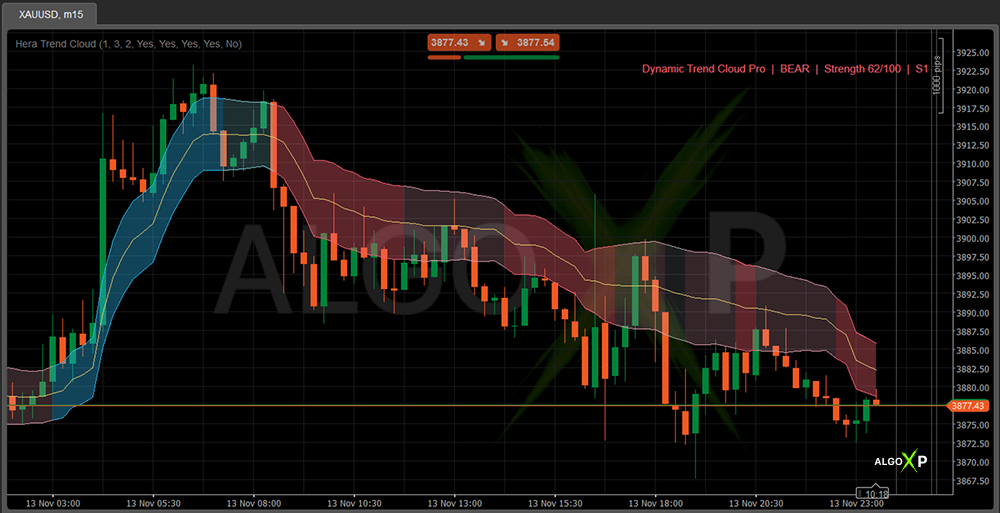
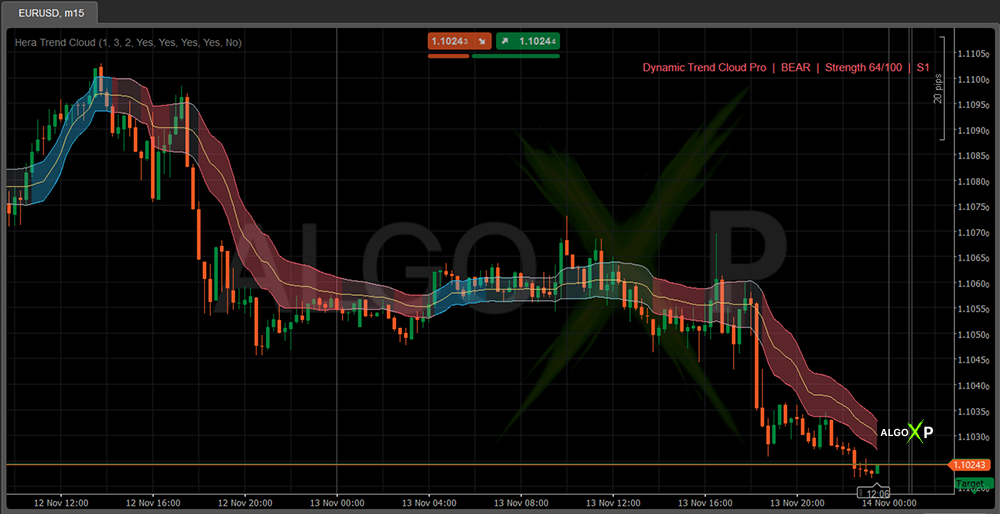
🔵 Blue cloud: confirmed bullish trend – look for opportunities aligned with upward momentum.
🔴 Red cloud: confirmed bearish trend – monitor downward momentum and potential continuation.
🩵 Soft blue / Soft red: weakening trend – direction remains unchanged, but conditions are losing strength.
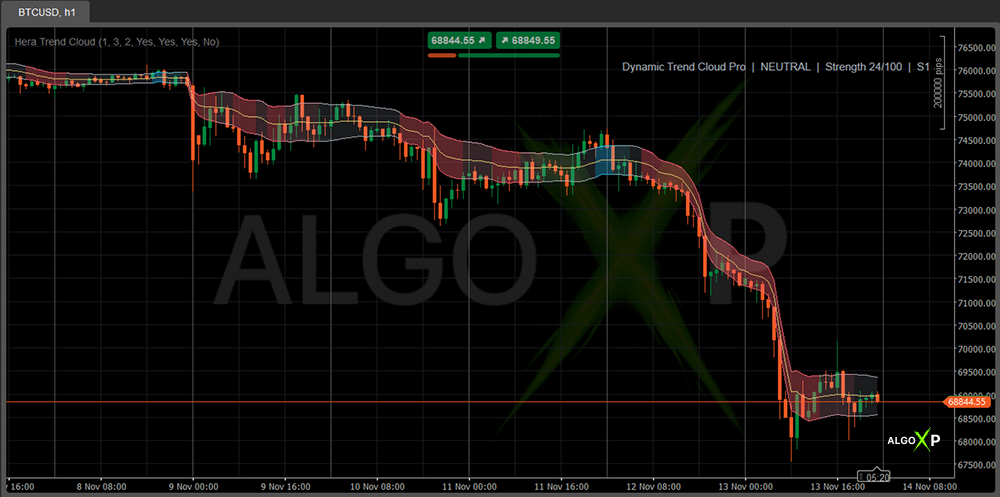
⚪ Grey cloud: neutral or ranging market – directional conditions are not confirmed.
📊 Strength Score: higher values indicate a cleaner, more persistent trend, not a higher probability of profit.
🔄 Reversal markers: optional signals identify confirmed changes between bullish and bearish trends.
⚙️ Quick Start
Sensitivity 3 + Confirm Neutral Bars 3 + Condition Confirm Bars 2 – a balanced starting setup.
Use HERA on Forex, Gold, indices, and crypto across different timeframes. Choose lower sensitivity for faster reaction or higher sensitivity for smoother trend analysis.
✨ HERA Trend Cloud – See beyond direction. Understand the trend.
HERA is an analytical indicator, not an automated trading system. It does not place orders or guarantee trading results. Trend conditions and reversals are confirmed on closed candles.
How HERA Trend Cloud works
The gold centerline is an adaptive KAMA. The cloud spans a smoothed ATR distance above and below it. Trend direction comes from the KAMA slope, price position and momentum, confirmed over closed candles. A separate condition model grades trend quality and detects ranges.
- Blue cloud — strong bullish trend.
- Light blue cloud — bullish trend that is losing strength.
- Red cloud — strong bearish trend.
- Light red cloud — bearish trend that is losing strength.
- Grey cloud — neutral, range-bound market.
- Triangle — confirmed reversal from bullish to bearish or back (optional).
On the current, still-forming candle the cloud shape is a preview in the last confirmed color. Its state is decided only when the candle closes.
HERA Trend Cloud – Parameters Overview
Trend
- Sensitivity (1 Fast – 5 Smooth) — default 1. Sets the KAMA and ATR periods: 1 reacts fastest, 5 gives the smoothest cloud and the fewest changes.
- Confirm Neutral Bars — default 3 (1–12). Closed candles of range conditions needed before the cloud turns neutral.
- Condition Confirm Bars — default 2 (1–6). Closed candles needed to switch between strong and weak, and to leave neutral.
Display
- Show Neutral Cloud — default On. Hides the grey cloud in ranges when off.
- Show Cloud Fill — default On. Turn off to keep only the cloud borders.
- Show Dashboard — default On. State, strength and sensitivity in the top-right corner.
- Show Reversal Markers — default Off. Triangles on confirmed reversals.
Marker & Dashboard Colors
- Bullish / Bearish / Neutral Color — colors of the reversal markers and dashboard text.
Cloud colors (Lines section)
- <Zone> Cloud — fill color and transparency of each zone.
- <Zone> Upper / <Zone> Lower — the zone’s border lines.
- KAMA Center — the centerline.